
Best overall for online classes in 2026: Acer Aspire Go 15. Best for moving between rooms: the 14.1-inch Windows 11 Laptop. Best for comparing higher-memory configurations: the 15.6-inch Windows 11 Everyday Laptop. Choose by your course software first, then screen size and the exact configuration.
- Acer Aspire Go 15 is the default laptop for online classes here, with listed 8GB RAM and 512GB SSD.
- Choose the 14.1-inch Windows 11 Laptop when a smaller screen fits your routine better.
- Consider the 15.6-inch Windows 11 Everyday Laptop for its listed 16GB RAM; confirm the selected processor.
- Thestoretosee shoppers should check course software, camera details, and configuration before choosing a laptop.
Why this matters
A laptop has to do more than open a lesson. You need to hear the instructor, type comfortably, upload assignments, and run any required software.
Thestoretosee sells practical laptops, tablets, and computer accessories for everyday shoppers. This guide keeps the choice focused: a straightforward default, a smaller-screen alternative, and a higher-memory option.
Check your course requirements before choosing any laptop for online classes. A large storage number does not tell you whether the computer runs a required application.
What makes the best laptop for online classes?
Use these checks for your 2026 shortlist:
- Course compatibility: Match the operating system and exact processor to the course's published requirements.
- Working memory: RAM is the space your computer uses for active tasks. Compare it alongside the processor, not alone.
- Screen fit: Choose a display that suits your desk and how often you carry the laptop.
- Storage: An SSD stores your files and applications. Check the selected capacity, not every option in the title.
- Call setup: Confirm the webcam, microphone, speakers, and connections you need.
- Power needs: Check battery information for the selected configuration if you take lessons away from an outlet.
Best picks at a glance
These are use-case picks, not measured performance rankings. Product titles and supplied descriptions establish the listed specifications; they do not establish video-call quality or real-world battery runtime.
| Laptop | Best for | Standout listed feature | Key limitation |
|---|---|---|---|
| Acer Aspire Go 15 Work & Study Laptop | A straightforward everyday shortlist | Core i5, 8GB RAM, 512GB SSD, 15.6-inch Full HD display | Listed RAM is lower than the Everyday Laptop's 16GB |
| 14.1-inch Windows 11 Laptop — 12GB RAM, SSD Options | A smaller-screen setup | Listed 14.1-inch display and 12GB RAM | Processor and storage vary by configuration |
| 15.6-inch Windows 11 Everyday Laptop | Comparing higher-memory options | Listed 16GB RAM and SSD options | Several processor configurations need checking |
1. Acer Aspire Go 15: best for a straightforward shortlist
The Acer Aspire Go 15 has the clearest everyday starting point in this comparison: a named model with listed Core i5, 8GB RAM, and 512GB SSD. Its 15.6-inch Full HD display gives you a larger screen than the compact pick.
Best for: Everyday shoppers who want a clearly identified laptop to compare against their course requirements.
Acer Aspire Go 15 pros:
- Named AG15-71P-53GM model makes configuration checks more specific.
- Listed 512GB SSD provides a clear storage reference.
- Listed Full HD display makes screen resolution easier to compare.
Acer Aspire Go 15 cons:
- Listed 8GB RAM is less than the other picks' stated memory.
- The 15.6-inch screen is not the smaller-screen choice here.
Choose the Acer Aspire Go 15 as your first comparison, not as a promise that every course application will work. Match the exact processor and operating system to any specialist software you need.
Verdict: Buy if the exact configuration meets your course requirements and a larger screen suits your setup.
2. 14.1-inch Windows 11 Laptop: best for a smaller-screen setup
The 14.1-inch Windows 11 Laptop is the compact-screen alternative in this 2026 shortlist. Its title lists 12GB RAM, while its description identifies different processor and storage configurations.
Best for: People who prefer a smaller screen when moving between a kitchen table, desk, and shared living space.
14.1-inch Windows 11 Laptop pros:
- Smaller listed display than both 15.6-inch picks.
- Listed 12GB RAM sits between the other picks' memory figures.
- Processor and storage options let you compare configurations.
14.1-inch Windows 11 Laptop cons:
- The product name covers different processor choices.
- The smaller display leaves less physical screen space for lessons and notes.
A smaller screen does not prove a laptop is lighter or lasts longer away from an outlet. Check dimensions, weight, battery details, and the selected processor separately.
Verdict: Hold until you confirm the exact configuration; choose it when screen size is your deciding factor.
3. 15.6-inch Windows 11 Everyday Laptop: best for memory-focused shoppers
The 15.6-inch Windows 11 Everyday Laptop lists 16GB RAM and several processor and SSD configurations. It belongs on your shortlist if you regularly keep lesson materials, notes, and browser tabs open together.
Best for: Shoppers comparing working memory while keeping a larger-screen layout.
15.6-inch Windows 11 Everyday Laptop pros:
- Listed 16GB RAM is the highest memory figure in this comparison.
- Listed 15.6-inch screen matches the larger-screen option.
- SSD configurations give you storage choices to inspect.
15.6-inch Windows 11 Everyday Laptop cons:
- Processor variations prevent a single performance verdict.
- Extra memory alone does not establish compatibility or call quality.
Do not choose the Everyday Laptop on its RAM number alone. Ask which processor, SSD capacity, and operating-system configuration belong to your selection before deciding.
Verdict: Hold until the selected configuration is clear; keep it shortlisted when working memory is your priority.
Make your final choice in three checks
For a 2026 purchase, follow this order rather than starting with the biggest specification.
- Course software: Find the required operating system, applications, and any exam-software rules.
- Exact configuration: Match those requirements to the processor, RAM, and storage in your selected option.
- Call setup: Confirm the camera, microphone, headset connection, and power arrangement you plan to use.
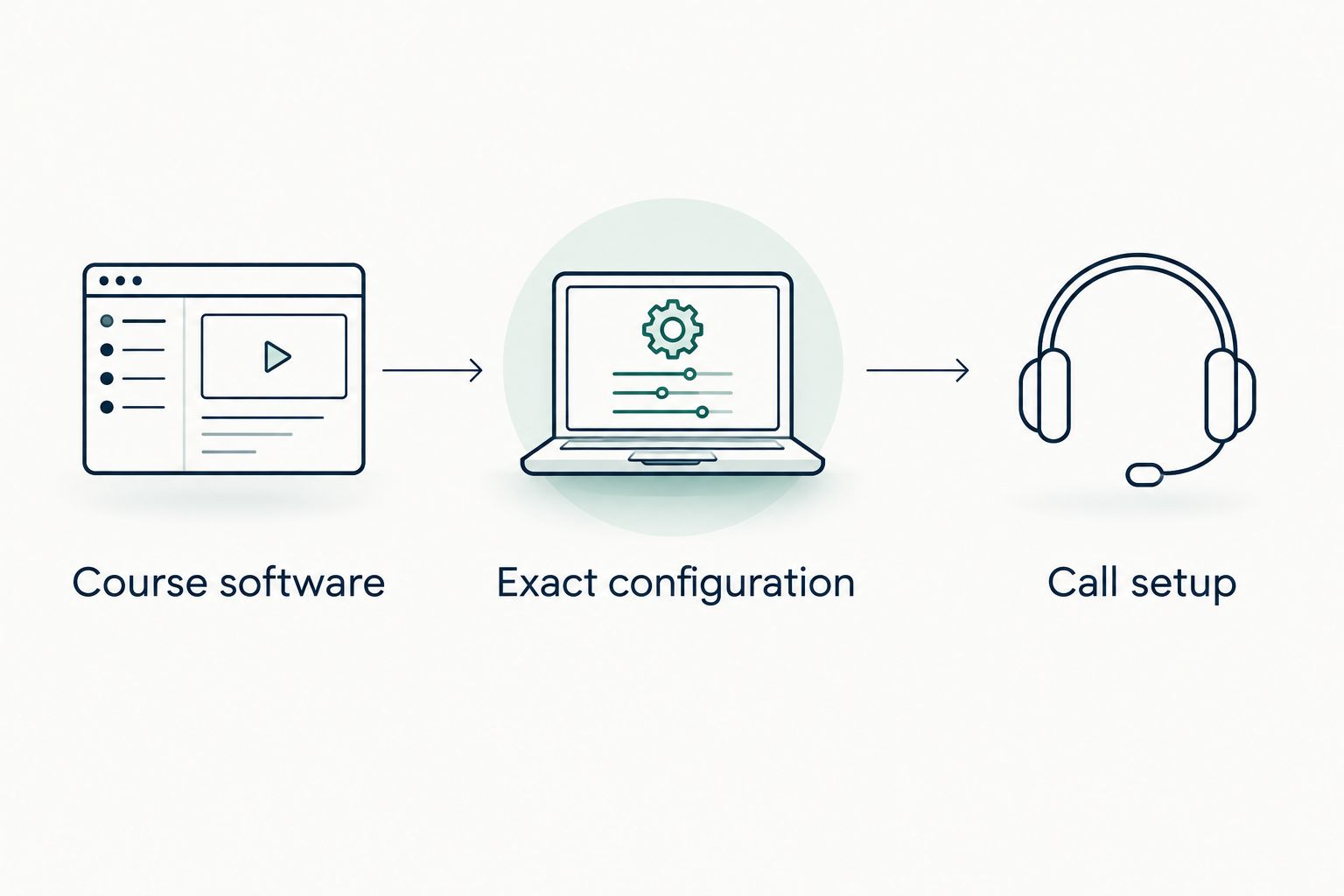
Keep the course's requirements beside the product listing while you shop. If a required detail is unclear, settle that question before choosing an accessory or a larger storage option.
Shop the shortlisted laptops
These are the same three products compared above. Select the configuration that matches your checklist.


How the picks rank
The Acer Aspire Go 15 ranks first for its clearly identified everyday configuration. The compact laptop earns its slot through screen size; the Everyday Laptop earns its slot through listed memory.
This Thestoretosee laptop guide does not rank unmeasured speed, battery runtime, or webcam quality. Those details need confirmation for the exact unit you choose.
Which laptop should you choose?
Start with the Acer Aspire Go 15. It is the default 2026 shortlist pick when you want a named model, a larger display, and clearly stated memory and storage.
Choose the 14.1-inch Windows 11 Laptop for the smaller screen. Compare the 15.6-inch Windows 11 Everyday Laptop when its listed 16GB RAM fits your needs, then verify the processor before buying.
FAQ
What's the best laptop for online classes in 2026?
The Acer Aspire Go 15 is the default pick in this comparison because it has a clearly identified model and listed configuration. Confirm that its exact specifications meet your course requirements before buying.
Is 8GB RAM enough for online classes?
Check your course and application requirements before choosing an 8GB RAM laptop. RAM is only one part of the decision; the processor and required software matter too.
Should I choose a 14.1-inch or 15.6-inch laptop?
Choose 14.1 inches if you prefer a smaller screen, or 15.6 inches if you want more physical display space. Check the laptop's actual dimensions and weight separately.
Does more RAM make a laptop better for video calls?
More RAM alone does not establish better video calls. Camera quality, audio, the processor, your connection, and the calling application's requirements also matter.
Can I use a tablet instead of a laptop for online classes?
Use a tablet only if it supports your course's required applications and assignment workflow. Check exam software, file uploads, and typing needs before replacing a laptop with one.
What should I check before buying a laptop with configuration options?
Confirm the exact processor, RAM, SSD capacity, and operating system attached to your selection. Then verify camera, microphone, connection, and battery details for that configuration.
One last thing
Before your first class, make a practice call while your notes and course page are open. Check that you can hear, be heard, and find the files you need without rearranging everything mid-lesson.
Shop technology at Thestoretosee with that everyday routine in mind—not just the largest number in a product title.