
Best overall: Acer Aspire Go 15 AG15-71P-53GM. Best tablet alternative for keyboard users: G140L. Best tablet alternative for reading: Redmi Pad 2 Pro. This 2026 guide to laptops for seniors puts a traditional laptop first and separates the tablet alternatives so you can choose the right kind of device.
- The Acer Aspire Go 15 is the default pick among these laptops for seniors, especially for typing and everyday browsing.
- G140L is a tablet alternative for shoppers who want touch controls and a keyboard; confirm the selected package.
- Redmi Pad 2 Pro suits reading-first shoppers who prefer a tablet rather than a traditional laptop.
- Choose by screen comfort, familiar apps, and typing needs—not age alone.
Why this matters
The best computer for an older adult is one that fits their routine. Someone writing emails needs a different setup from someone mainly reading recipes or making video calls.
Thestoretosee's default pick for everyday laptop shoppers is the Acer Aspire Go 15. The tablets below serve different needs; they are not interchangeable with a Windows laptop.
What makes the best laptops for seniors?
Use these checks before choosing a device in 2026:
- Readable screen: Can you comfortably read text after increasing its size?
- Comfortable controls: Do you prefer a keyboard and mouse, touch controls, or both?
- Familiar apps: Will your browser, video-calling app, and printer work with the operating system?
- Simple setup: Can you find email, photos, and accessibility settings without hunting?
- Clear configuration: Does the selected option state exactly which device and accessories you receive?
At a glance
| Option | Best for | Standout detail in the listing | Key limitation |
|---|---|---|---|
| Acer Aspire Go 15 AG15-71P-53GM | Everyday typing and browsing | Traditional Windows laptop with a 15.6-inch display | Screen comfort and keyboard feel still need checking |
| G140L tablet | Touch controls with occasional keyboard use | 14.1-inch Android tablet; listing names keyboard accessories | Android is not a replacement for Windows-only programs |
| Redmi Pad 2 Pro | Reading and touch-first browsing | 12.1-inch tablet display | A tablet is less suited to long typing sessions without a suitable keyboard |
1. Acer Aspire Go 15: best laptop for everyday typing
The Acer Aspire Go 15 AG15-71P-53GM is the straightforward choice here if you want a traditional laptop. Its listing identifies Windows 11, a 15.6-inch Full HD display, 8GB of memory, and a 512GB SSD.
Memory is the computer's working space for open apps. An SSD stores your files; neither figure tells you whether the keyboard or screen will feel comfortable.
Acer Aspire Go 15 pros:
- A built-in keyboard keeps typing central to the setup.
- The 15.6-inch display gives you room to arrange windows.
- Windows provides text-size, magnification, and pointer settings.
Acer Aspire Go 15 cons:
- A larger screen does not automatically make text larger.
- The listed specifications do not establish battery life or carrying comfort.
- Keyboard markings, glare, and speaker clarity need a personal check.
Best for: Email, forms, documents, and browsing at a table or desk.
For a 2026 purchase, check the exact configuration rather than relying only on the Aspire name. Confirm the ports you need for a mouse, printer, or external display.
Verdict: Buy the Acer Aspire Go 15 if you want a conventional Windows laptop and its controls suit you.
2. G140L: best tablet alternative for occasional typing
The G140L is an Android tablet, not a Windows laptop. Its listing describes a 14.1-inch display and names a keyboard, mouse, and other accessories; confirm what belongs to the selected package before ordering.
Choose this format because you prefer tapping the screen, not because a tablet with a keyboard looks like a laptop. Your apps still need to work on Android.
G140L pros:
- Touch controls offer an alternative to a trackpad.
- A keyboard can make occasional messages easier than screen typing.
- The larger tablet display is worth considering if smaller screens feel cramped.
G140L cons:
- Windows-only programs do not run as ordinary Android apps.
- A separate keyboard and stand require their own setup.
- The accessory names alone do not establish keyboard comfort or stability.
Best for: Touch-first browsing with occasional typing at a table.
Open the apps you use on an Android device before choosing this route. Check video calls, document editing, and printing separately; familiarity with an Android phone does not confirm every task will work the same way.
Verdict: Hold until you confirm app compatibility and the exact G140L package.
3. Redmi Pad 2 Pro: best tablet alternative for reading
The Redmi Pad 2 Pro is the reading-first alternative in this comparison. Its listing identifies a 12.1-inch display, making it a different proposition from the larger laptop and tablet above.
Pick a tablet if your routine centers on opening articles, looking at photos, and using touch-friendly apps. Do not choose one simply because someone says tablets are easier for all seniors.
Redmi Pad 2 Pro pros:
- Touch controls suit tapping links and moving through photos.
- Reading apps commonly offer adjustable text settings.
- A tablet format suits shoppers who do not want a keyboard in front of them all the time.
Redmi Pad 2 Pro cons:
- Long emails are less comfortable to type on a screen keyboard.
- Holding a tablet while reading can be tiring; consider a compatible stand.
- Desktop software and existing accessories need compatibility checks.
Best for: Reading, photos, and browsing when typing is secondary.
Before buying in 2026, try the reading app you actually use. Increasing text inside an article is different from enlarging every button and menu.
Verdict: Buy the Redmi Pad 2 Pro as a reading-focused tablet, not as a direct laptop replacement.
Laptop or tablet? Start with your daily tasks
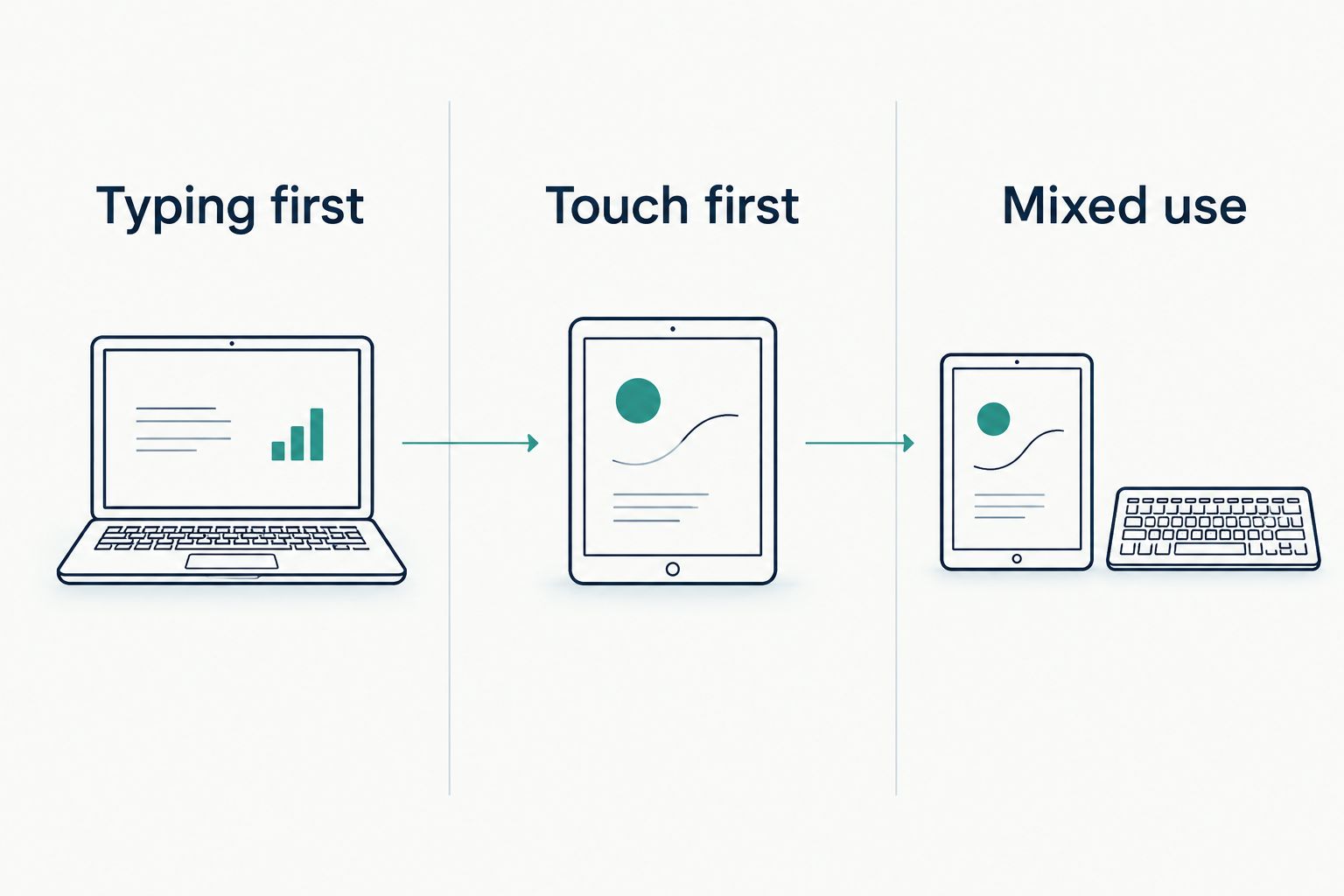
Your main activity should decide the format. At Thestoretosee, the practical distinction is typing first versus touch first, not a special category of computer for a particular age.
- Typing first: Start with a traditional laptop for messages, forms, and documents.
- Touch first: Consider a tablet for reading, photos, and tapping through apps.
- Mixed use: Check both the keyboard setup and app compatibility before choosing a tablet alternative.
Your quick shopping checklist
Take your everyday tasks with you when comparing devices. These checks matter more than a long list of specifications.
Check reading comfort
- Open a familiar webpage and enlarge the text.
- Check menus as well as article text.
- Look for reflections where you normally sit.
- Make sure the pointer or touch targets are easy to follow.
Check hands-on comfort
- Type a short email, including punctuation.
- Try clicking, scrolling, and dragging.
- Test whether opening and positioning the device feels comfortable.
- Check the keyboard layout rather than assuming every keyboard is alike.
Check your existing setup
- Write down your printer model and essential app names.
- Confirm compatible connections for accessories you already own.
- Check how you will move photos and documents from the old device.
- Decide where the computer will sit and charge.
For Thestoretosee shoppers comparing laptops for seniors in 2026, this checklist keeps the decision focused: readable text, comfortable controls, and the right apps.
Choose your everyday tech
Use your screen, typing, and app checklist while comparing devices.
How these options compare
The ranking prioritizes a traditional keyboard, readable-screen potential, and everyday app needs. The Acer Aspire Go 15 takes the default slot because it is the conventional laptop in this shortlist; the tablets answer separate touch-first needs.
These are listing-based buying recommendations, not hands-on test results. Battery endurance, speaker quality, display glare, and keyboard comfort are not established by the listed specifications.
Which option should you choose?
Choose the Acer Aspire Go 15 if you are undecided and want a traditional laptop. Choose the Redmi Pad 2 Pro when reading matters more than typing, or investigate the G140L when you specifically want an Android tablet with keyboard accessories.
Keep the person using the device involved. Their preferred controls and familiar apps matter more than a gift buyer's favorite brand.
FAQ
What's the best laptop for seniors in 2026?
The Acer Aspire Go 15 AG15-71P-53GM is the default laptop pick in this comparison for everyday typing and browsing. Check screen readability, keyboard comfort, and compatibility with your existing accessories before buying.
Is a laptop or tablet better for an older adult?
A laptop is the better starting point for frequent typing, while a tablet suits touch-first reading and browsing. Choose around the person's routine rather than age alone.
What screen size should I choose?
Choose a screen you can read comfortably with text settings adjusted. This comparison includes a 15.6-inch laptop, a 14.1-inch tablet, and a 12.1-inch tablet, but size alone does not establish readability.
Can I make text larger on a Windows laptop?
Yes, Windows includes text-size and display-scaling controls. Text size enlarges text, while scaling enlarges more interface elements; check how your usual apps respond.
Does adding a keyboard turn an Android tablet into a laptop?
No, a keyboard changes how you type but does not change Android into Windows. Confirm that your essential apps and printer work with the tablet before choosing it.
What should I check when buying a laptop for a parent?
Check the parent's usual tasks, preferred controls, and existing accessories first. Let them try reading, typing, and a video call rather than choosing solely from specifications.
One last thing
A bigger screen and bigger text are different things. Before replacing a computer that otherwise works for you, try its text-size, display-scaling, and pointer settings. A more comfortable setup starts with those controls, even when you buy a new device.