
Best everyday shortlist: the Fuchu 15.6-inch listing. Best smaller-screen shortlist: the 14.1-inch listing. Best desk-first shortlist: the Core i9 15.6-inch listing. If you want a laptop with 1tb ssd in 2026, compare these options by the exact configuration—not the biggest number in the title.
- Thestoretosee’s laptop with 1tb ssd shortlist starts with the Fuchu listing; confirm its processor and Windows compatibility before buying.
- The 14.1-inch listing suits shoppers comparing smaller screens, but its title names different processors.
- The Core i9 listing needs configuration checks; the gaming label alone does not establish gaming performance.
- Choose RAM and storage separately: RAM supports active apps; an SSD holds your files.
Why this matters
A 1TB SSD gives you space for documents, photos, apps, and other saved files. It does not tell you whether a laptop handles your everyday tasks well. The processor, memory, screen, and software compatibility still matter.
This Thestoretosee laptop with 1TB SSD shortlist separates the listed specifications from the checks you should make before ordering. If your main task is home-office work, the best laptops for working from home guide adds another useful comparison angle.
What makes the best laptop with 1TB SSD?
Use these checks before comparing the three listings:
- Exact storage: Confirm that your selected configuration includes a 1TB internal SSD. A title showing several capacities is not enough.
- Useful memory: RAM is the working space for open apps. Compare it separately from storage rather than treating either number as a complete performance score.
- Clear processor details: Get the complete processor model. A family label such as Core i9 does not settle the choice.
- Suitable screen: Choose a screen that fits your reading, typing, and carrying habits. Screen size alone does not establish image quality.
- Software compatibility: Check that the exact hardware supports your operating system and everyday apps.
For 2026 shopping, configuration clarity comes before a longer feature list. If a listing combines several processors or storage sizes, settle those details before deciding.
Laptops with 1TB SSD at a glance
These are listing-based shortlists, not performance-test winners. The table shows the specifications named in each listing and the main question each leaves you to resolve.
| Listing | Best for | Standout listed detail | Key limitation |
|---|---|---|---|
| Fuchu 15.6-inch Core i3 listing | Comparing a plainly stated memory-and-storage combination | 16GB RAM and 1TB SSD named together | Core i3-6006U and Windows 11 Pro require a compatibility check |
| 14.1-inch laptop listing | Choosing a smaller screen | 14.1-inch screen and 12GB RAM named | Title includes both Core i7-8650U and Atom A3950, plus different SSD capacities |
| Core i9 15.6-inch laptop listing | Comparing a desk-first configuration | 15.6-inch screen and 16GB RAM named | Title includes 10980HK and 9900, plus different SSD capacities |
1. Fuchu 15.6-inch listing: best for a clear storage starting point
The Fuchu listing names a 15.6-inch screen, Core i3-6006U processor, 16GB RAM, and 1TB SSD. That makes it the clearest starting point here for comparing a stated memory-and-storage combination—not a confirmed performance winner.
For email, household documents, and browsing, check the processor and software requirements alongside the storage. Do not assume the SSD makes every other specification suitable.
Fuchu listing pros:
- Names 1TB SSD storage directly.
- Names 16GB RAM separately from storage.
- Gives a specific processor model you can check.
Fuchu listing cons:
- The Windows 11 Pro label does not establish official hardware support.
- Battery runtime, weight, and screen quality are not established by the listed details.
- Storage capacity does not establish responsiveness under your workload.
Best for: Shoppers who want a straightforward specification checklist before choosing an everyday laptop.
Verdict: Hold until the exact processor, Windows compatibility, and selected configuration are confirmed.
2. 14.1-inch listing: best for shoppers choosing a smaller screen
The 14.1-inch listing names 12GB RAM and includes 1TB and 2TB SSD options in its title. It also names both Core i7-8650U and Atom A3950, so you need to identify the processor attached to your selection.
A smaller screen is worth considering if you regularly move between rooms or take your laptop out. Check the actual weight and dimensions too; screen size is not a weight measurement.
14.1-inch listing pros:
- Offers a smaller stated screen than the 15.6-inch listings.
- Names 12GB RAM.
- Includes a 1TB SSD configuration in the title.
14.1-inch listing cons:
- Two processor names make configuration confirmation essential.
- The title combines storage capacities rather than identifying your selection.
- Display wording alone does not establish the panel’s resolution or quality.
Best for: Shoppers prioritizing screen size who are willing to verify the configuration before buying.
Verdict: Hold until the processor, screen resolution, and 1TB SSD selection are clear.
3. Core i9 15.6-inch listing: best for a desk-first comparison
This listing names a 15.6-inch screen, 16GB RAM, and 1TB or 2TB SSD configurations. Its title also includes both 10980HK and 9900 processor references.
Treat it as a configuration to investigate, not an automatic upgrade over the other picks. In 2026, a Core i9 label still needs an exact model, suitable cooling, and task-specific evidence behind it.
Core i9 listing pros:
- Names 16GB RAM.
- Includes a 1TB SSD configuration in the title.
- Lists a 15.6-inch screen for shoppers comparing larger displays.
Core i9 listing cons:
- Different processor references need clarification.
- The gaming label does not establish graphics capability.
- Battery runtime and performance under sustained use are not established here.
Best for: Shoppers comparing a laptop mainly for use at a desk, with time to check the complete specification.
Verdict: Hold for configuration confirmation; skip it as a gaming recommendation without graphics details.
Match the specifications to your day
Start with what you actually do. Keep the storage decision separate from the memory and processor decisions.
| Your priority | Check first | Trade-off to consider |
|---|---|---|
| Keeping files locally | Internal SSD capacity | More storage does not mean a faster processor |
| Switching between apps | RAM and processor | An SSD cannot replace working memory |
| Carrying your laptop | Weight and dimensions | A smaller screen gives you less viewing space |
| Reading and typing | Screen resolution and keyboard | A larger screen does not guarantee sharper text |
| Playing games | Graphics hardware and game requirements | A gaming label is not performance evidence |
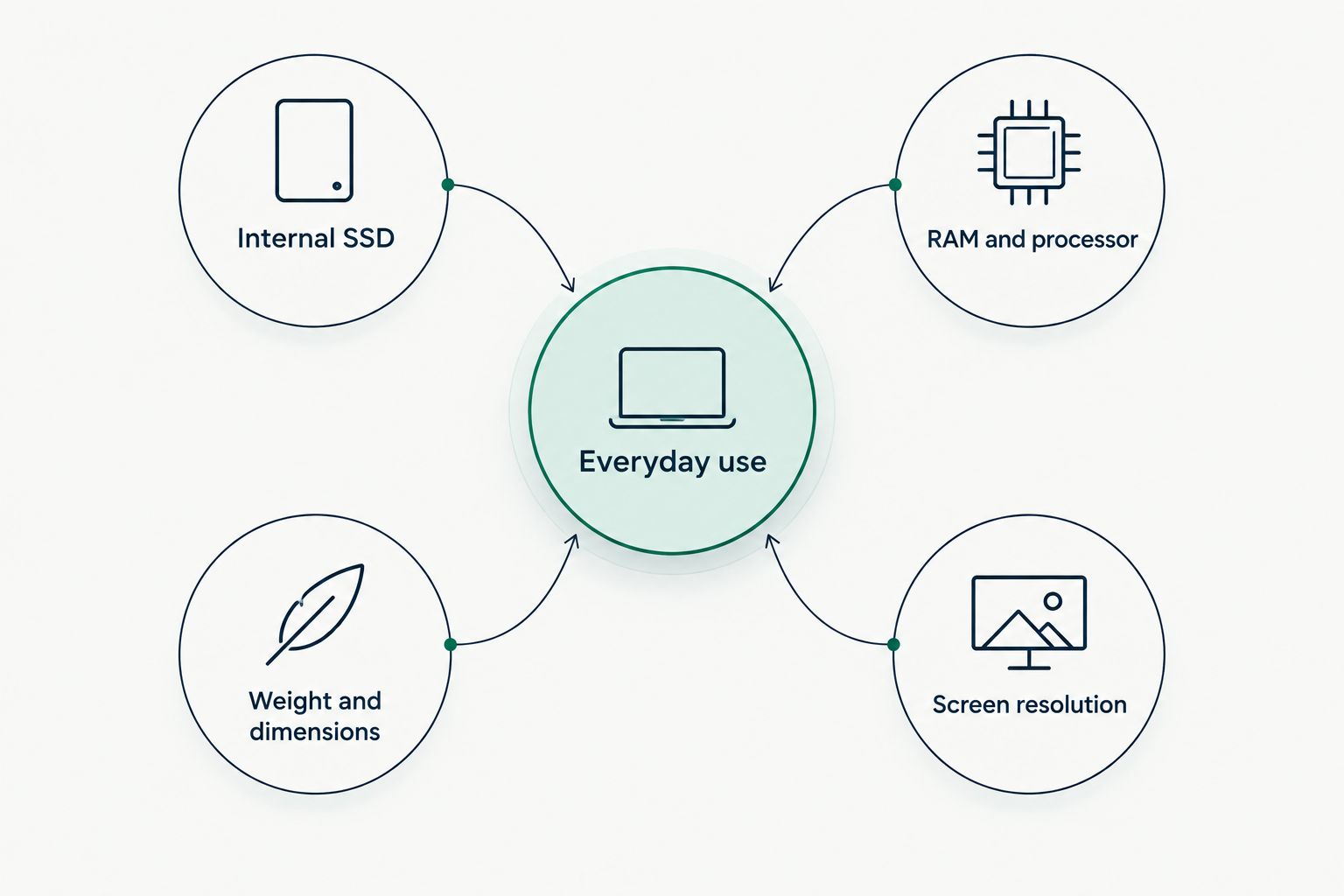
For your 2026 shortlist, write down the apps you use and the files you keep locally. Then compare the exact laptop configurations against that list. Ignore features that do not help with either.
Before you order: a short checklist
Thestoretosee shoppers should confirm these details for any laptop with 1TB SSD:
- Selected variant: Does the chosen option—not just the title—say 1TB SSD?
- Processor: Is there one complete model name attached to that option?
- Memory: Is the stated RAM installed physical memory?
- Software: Does the hardware support the operating system and your essential apps?
- Everyday fit: Are the keyboard layout, ports, weight, and charger suitable?
- Backup: Where will you keep a separate copy of important files?
A 1TB drive is storage, not a backup. If the laptop is lost or the drive fails, files stored only there remain at risk.
Shop technology
Compare the selected configuration with your everyday laptop checklist.
How this shortlist is ranked
The order prioritizes clarity of listed storage and memory, then gives smaller-screen and desk-first shoppers separate options. It does not rank measured speed, battery life, display quality, or reliability.
The Fuchu listing comes first because it names 16GB RAM and 1TB SSD together without combining storage capacities in its title. That earns it the first check—not an unconditional buying recommendation.
Which laptop with 1TB SSD should you choose?
Start with the Fuchu listing if your priority is a clearly stated storage-and-memory combination. Choose the 14.1-inch shortlist instead if screen size drives your decision. Investigate the Core i9 listing only after clarifying the processor and your workload requirements.
For 2026, the buying rule is simple: choose a confirmed configuration, not a promising title. Do not order any of these options while essential specification questions remain unanswered.
FAQ
What's the best laptop with 1TB SSD for everyday use?
The Fuchu 15.6-inch listing is the first configuration to check in this shortlist because it names 16GB RAM and 1TB SSD together. Confirm its processor and Windows compatibility before choosing it; the listed details do not establish a performance winner.
Is a 1TB SSD enough for everyday files?
A 1TB SSD gives you substantial local storage, but whether it is enough depends on your files and apps. Check your current storage use and allow room for what you expect to add.
Does a 1TB SSD make a laptop faster?
The 1TB figure describes capacity, not speed. SSD performance, the processor, RAM, and your workload all affect how responsive a laptop feels.
Is 16GB RAM the same as 1TB storage?
No. RAM is working space for active apps, while SSD storage holds saved files and installed software. Compare both specifications when choosing a laptop.
Is the Core i9 listing better for gaming?
The Core i9 listing is not a confirmed gaming winner. Check the exact processor, graphics hardware, and the requirements of your games before choosing it.
Should I choose a 14.1-inch or 15.6-inch laptop?
Choose according to your viewing and carrying needs. Compare actual weight, dimensions, and screen resolution rather than assuming screen size settles portability or picture quality.
How do I confirm that I am buying the 1TB SSD version?
Check the selected configuration and order summary for 1TB SSD. If the title combines several capacities or processors, resolve those details before ordering.
One last thing
Before replacing your current laptop, check how much storage you actually use. A larger SSD solves a space problem; it does not automatically solve a slow-laptop problem. That distinction keeps your shopping focused on the right upgrade.