
Best overall for a desk: an adjustable magnetic clamp stand. Best for a Xiaomi tablet you carry between rooms: a matching flip stand case. Best for a Teclast tablet: a model-matched flip stand case. These are the practical tablet stands for home use to compare in 2026—choose by where you use your screen, then check the fit.
- For tablet stands for home use, choose a desk stand for positioning or a flip case for portability.
- Thestoretosee lists a magnetic adjustable desk stand; confirm tablet attachment and clamp fit before choosing.
- Xiaomi and Teclast flip stand cases need an exact tablet-model match.
- Check charging access, viewing angle, and case clearance before you buy.
What makes the best tablet stands for home use?
The best stand fits your tablet and your routine. Start with these checks:
- Device fit: Match the exact tablet model, not just its screen size.
- Secure attachment: Check how the stand grips or attaches to your device.
- Useful positioning: Choose an angle that works for reading, watching, or calls.
- Surface fit: A clamp needs a suitable edge; a folding case needs somewhere to rest.
- Charging access: Leave room to connect the cable without pressing it against the support.
The 2026 picks at a glance
| Pick | Best for | Standout feature | Main limitation |
|---|---|---|---|
| Magnetic adjustable desk stand | A regular desk or table setup | Adjustable positioning, clamp mount, and listed 360-degree rotation | Magnetic attachment and desk-edge fit need checking |
| Xiaomi flip stand case | Carrying a compatible Xiaomi tablet between rooms | A case with a folding stand format | You must select the correct model variant |
| Teclast flip stand case | Keeping a compatible Teclast tablet in a stand case | A model-specific cover with a stand function | The listed tablet names are not interchangeable |
Why this matters
A useful stand solves a specific annoyance: holding the tablet through a show, leaning it against a mug, or repeatedly adjusting it during a call. The wrong format adds another job instead.
Choose the support around your usual spot, not around the longest feature list. A desk clamp and a folding case serve different routines.
1. Magnetic adjustable desk stand: best for a fixed home setup
This Thestoretosee tablet stand listing describes a magnetic, adjustable design with a clamp mount and 360-degree rotation. It is the first option to consider when your tablet usually stays at a desk or table.
The useful distinction is positioning. A separate stand lets you arrange the tablet independently of a folding cover, but you need to confirm how the magnetic attachment works with your device.
Magnetic adjustable desk stand pros:
- Adjustable positioning gives you more setup choices than a fixed support.
- The clamp format attaches at a suitable furniture edge.
- Rotation supports changing the screen's orientation.
Magnetic adjustable desk stand cons:
- Magnetic attachment is not proof that your tablet connects directly.
- A clamp is unsuitable when your chosen surface has no usable edge.
Best for: Watching, browsing, or joining calls from one regular spot.
Before choosing, check the attachment instructions, supported tablet dimensions and weight, and the clamp's opening range. Also check whether your existing case stays on during use. Do not assume that a tablet's metal-looking back makes it compatible with a magnetic holder.
Verdict: Buy for a fixed setup only after confirming the attachment and clamp fit.
2. Xiaomi flip stand case: best for moving between rooms
A flip stand case combines a tablet cover with a support that folds into position. The Xiaomi listing includes several model names, so selecting the correct variant is the essential step.
This format suits a tablet that follows you from the kitchen table to the living room. You carry the support with the device rather than moving a separate desk mount.
Xiaomi flip stand case pros:
- Keeps the stand function attached to the tablet.
- Combines a cover and support in one accessory.
- Avoids the need for a desk-edge clamp.
Xiaomi flip stand case cons:
- A case for one Xiaomi model is not automatically suitable for another.
- Viewing positions depend on the case's folding design; inspect the listing images before choosing.
Best for: Everyday viewing on different tables around your home.
Match the full model name in your tablet's settings to the selected case variant. Similar names and similar screen sizes do not establish a fit. Check camera openings, buttons, and the charging connection too.
Verdict: Buy for a matching Xiaomi tablet when portability matters more than separate stand adjustment.
3. Teclast flip stand case: best for a Teclast tablet
The Teclast listing describes a flip stand cover and names multiple tablet models. Treat those names as variant choices, not as a promise that one case fits every listed device.
Choose this format when you want your tablet's support to stay with it. The deciding factor is an exact model match, not a preference for one case brand over another.
Teclast flip stand case pros:
- Combines a cover with a stand function.
- Travels with the tablet between rooms.
- Works without attaching a clamp to furniture.
Teclast flip stand case cons:
- Selecting the wrong model variant can leave openings and controls misaligned.
- A folding cover does not provide the same positioning arrangement as a separate adjustable mount.
Best for: Owners of a matching Teclast tablet who want a carry-along support.
Check the model identifier before ordering. If the listing offers several variants, confirm the selection again before checkout rather than relying on the main product image.
Verdict: Buy for an exact Teclast model match; skip it for an unrelated tablet.
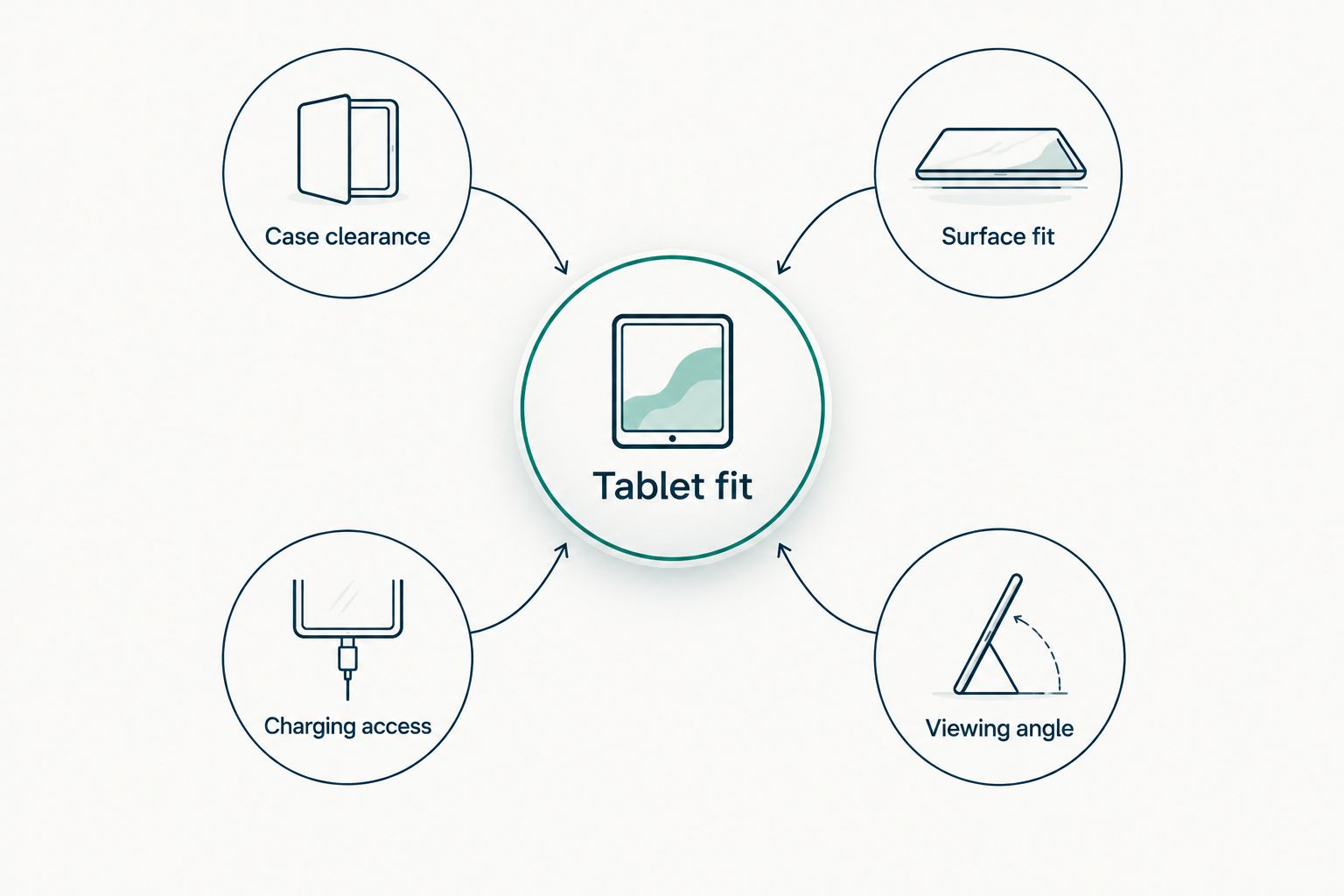
Your 2026 shopping checklist
Use these checks before committing to any of the picks:
- Tablet fit: Find the exact model name in device settings.
- Case clearance: Check whether the tablet stays in its current cover.
- Surface fit: Inspect the desk edge or flat surface you plan to use.
- Charging access: Locate the charging connection in your preferred orientation.
- Viewing angle: Picture the screen from your actual seat.
For video calls, look at where the camera sits after positioning the tablet. For reading, check that the lower support does not cover the part of the screen you touch to turn pages. For recipes, choose a location away from the sink and cooking heat.
If you regularly type directly on the screen, check how the support holds the tablet during tapping. A comfortable viewing position and a comfortable typing position are not necessarily the same.
How the picks are ranked
This 2026 shortlist separates three practical uses: a fixed desk setup, a portable Xiaomi case, and a portable Teclast case. The order reflects positioning flexibility first, followed by model-specific convenience.
The recommendations use the listed accessory formats and features, not hands-on performance results. No ranking here claims that one option has stronger hinges, better grip, or longer durability than another.
Which tablet stand should you choose?
Start with the magnetic adjustable desk stand if your tablet has a regular home on a desk. Confirm the magnetic connection and clamp requirements before buying.
Choose the Xiaomi or Teclast flip stand case when your tablet moves around the house and the exact matching variant is listed. Do not buy a model-specific case for a different device just because the dimensions look close.
Thestoretosee's tablet stand selection is best suited to shoppers who can check their device model and mounting needs before choosing. Keep that check simple: tablet first, support second.
FAQ
What's the best tablet stand for home use in 2026?
An adjustable desk stand is the default choice for a tablet that stays in one regular spot. A matching flip stand case is the better format when you carry the tablet between rooms.
Will a magnetic tablet stand work with any tablet?
No—do not assume universal compatibility. Check the attachment method, supported dimensions and weight, and whether an adapter or particular case is required.
Is a flip stand case better than a separate tablet stand?
A flip stand case is better for keeping the support attached while you move around. A separate adjustable stand is better when you want to position the tablet independently of its cover.
Can I use a tablet stand while charging?
Choose a setup that leaves the charging connection accessible. Check cable clearance in both the viewing position and the screen orientation you plan to use.
How do I choose the correct Xiaomi or Teclast stand case?
Match the full tablet model name to the selected case variant. Screen size alone does not confirm that the camera openings, buttons, and charging connection will line up.
What should I check before attaching a clamp stand to a table?
Check the clamp's stated opening range and the shape of your table edge. Inspect for trim, drawers, or other obstacles beneath the surface that prevent proper attachment.
One last thing
Before buying a tablet stand in 2026, put your tablet where you actually want to use it and connect the charging cable. That quick check exposes an awkward cable route or blocked connection before you choose the support.
Shop Thestoretosee technology with your exact tablet model in hand. Fit beats an extra feature you will not use.