
Best overall for simple everyday use: the 10-inch Android 16 tablet. Best for shared viewing: Redmi Pad 2 Pro. Best for a desk setup: G140L. These are the tablets for kids to shortlist in 2026, with parental controls and app compatibility checked before you buy.
- Start with the 10-inch Android 16 tablet for a smaller everyday device.
- Choose Redmi Pad 2 Pro for shared viewing, not compact carrying.
- Choose G140L for a desk setup with listed keyboard and mouse accessories.
- Thestoretosee's tablets for kids shortlist prioritizes fit; verify parental controls before buying.
Why this matters
The best tablet for a child is one you can manage easily. Screen size matters, but so do purchase restrictions, app access, and whether your child can hold the device comfortably.
For your 2026 shortlist, start with the activity: reading, watching, playing, or typing. Then check the exact tablet's settings. An Android version number alone does not confirm a child-ready setup.
What makes the best tablets for kids?
Use these checks before comparing extras:
- Parent controls: Confirm how you approve apps, restrict purchases, and manage screen time.
- App compatibility: Check the specific games, reading apps, and video services your family uses.
- Comfortable size: Choose for your child's hands and usual viewing spot, not just a bigger display.
- Clear specifications: Separate physical memory from virtual memory, which uses storage rather than adding physical RAM.
- Suitable accessories: Match cases and stands to the exact tablet model and dimensions.
For Thestoretosee shoppers comparing tablets for kids, the 10-inch Android 16 tablet is the starting pick for a smaller everyday device. It is a size-based recommendation, not a claim of tested speed or child-safety certification.
Best tablets for kids at a glance
| Tablet | Best for | Standout detail in the listing | Key limitation |
|---|---|---|---|
| 10-inch Android 16 tablet | Simple everyday use | 10-inch display and 64GB storage | Listed memory includes virtual RAM; child controls need checking |
| Redmi Pad 2 Pro | Shared viewing | 12.1-inch display | Larger screen is less compact; case fit needs checking |
| G140L | Desk-based activities | 14.1-inch display with listed keyboard, mouse, and stylus | Large format; a listed stylus does not establish pressure-sensitive drawing support |
These are general-purpose tablets, not verified dedicated children's editions. Check account controls and the selected configuration on each product page.
1. 10-inch Android 16 tablet: best for simple everyday use
Best for: a child who needs a smaller tablet for everyday activities.
The listing identifies a 10-inch Android 16 tablet with 64GB of storage. That makes it the most compact screen choice in this shortlist, rather than a recommendation based on unverified performance.
Start here if your child will move between the couch, kitchen table, and a reading spot. Confirm the apps first; a useful screen size does not compensate for a missing favorite app.
10-inch Android 16 tablet pros:
- Smaller screen format than the other shortlisted tablets.
- Listed 64GB storage gives you a concrete specification to compare.
- Straightforward starting point when you do not need a large desk setup.
10-inch Android 16 tablet cons:
- The listing separates 3GB physical RAM from 9GB virtual RAM; these are not interchangeable.
- Child-profile support and purchase restrictions need confirmation.
- A smaller display provides less room for shared viewing than the larger picks.
RAM is the working memory a device uses while apps run. For this 2026 model, read the physical and virtual memory figures separately rather than treating the combined headline as physical RAM.
Verdict: Buy for simple use only after confirming your essential apps and parental controls.
2. Redmi Pad 2 Pro: best for shared viewing
Best for: families choosing a larger screen for watching together.
Redmi Pad 2 Pro has a listed 12.1-inch display. Choose it when the tablet will spend more time on a table or stand than being carried around the house.
The larger display is the reason to shortlist it here. It does not establish better streaming quality, longer viewing time, or stronger parental controls.
Redmi Pad 2 Pro pros:
- Larger listed display than the 10-inch option.
- Screen format suits a shared-viewing shortlist.
- Named model gives you a specific reference when checking accessory compatibility.
Redmi Pad 2 Pro cons:
- Less compact than the 10-inch choice.
- Display size does not tell you whether a child can hold it comfortably.
- Exact app support and family settings still need checking.
For your 2026 purchase, check the selected regional version and configuration. Confirm the software and services your family needs rather than relying on the model name alone.
Verdict: Buy for shared viewing after checking app access and how you will support the screen.
3. G140L: best for a desk setup
Best for: an older child who will type and use the tablet at a table.
The G140L listing describes a 14.1-inch Android tablet with a keyboard, mouse, stylus, and protective case. Those listed accessories make it the desk-focused option in this comparison.
Choose the format because your child needs a typing setup, not because the bundle contains more pieces. Confirm what comes with the selected configuration and whether the required apps work with its keyboard and mouse.
G140L pros:
- Largest listed display in this shortlist.
- Keyboard and mouse are named in the listing.
- Listed case and stylus give you accessories to evaluate alongside the tablet.
G140L cons:
- Large format is not the compact choice for handheld use.
- Included accessories do not establish their comfort or quality.
- A stylus listing does not confirm advanced drawing features.
A keyboard changes how you interact with a tablet; it does not turn Android into a desktop operating system. Check any required website or app before choosing this format for regular typing.
Verdict: Buy for desk use only after checking the bundle contents and required tasks.
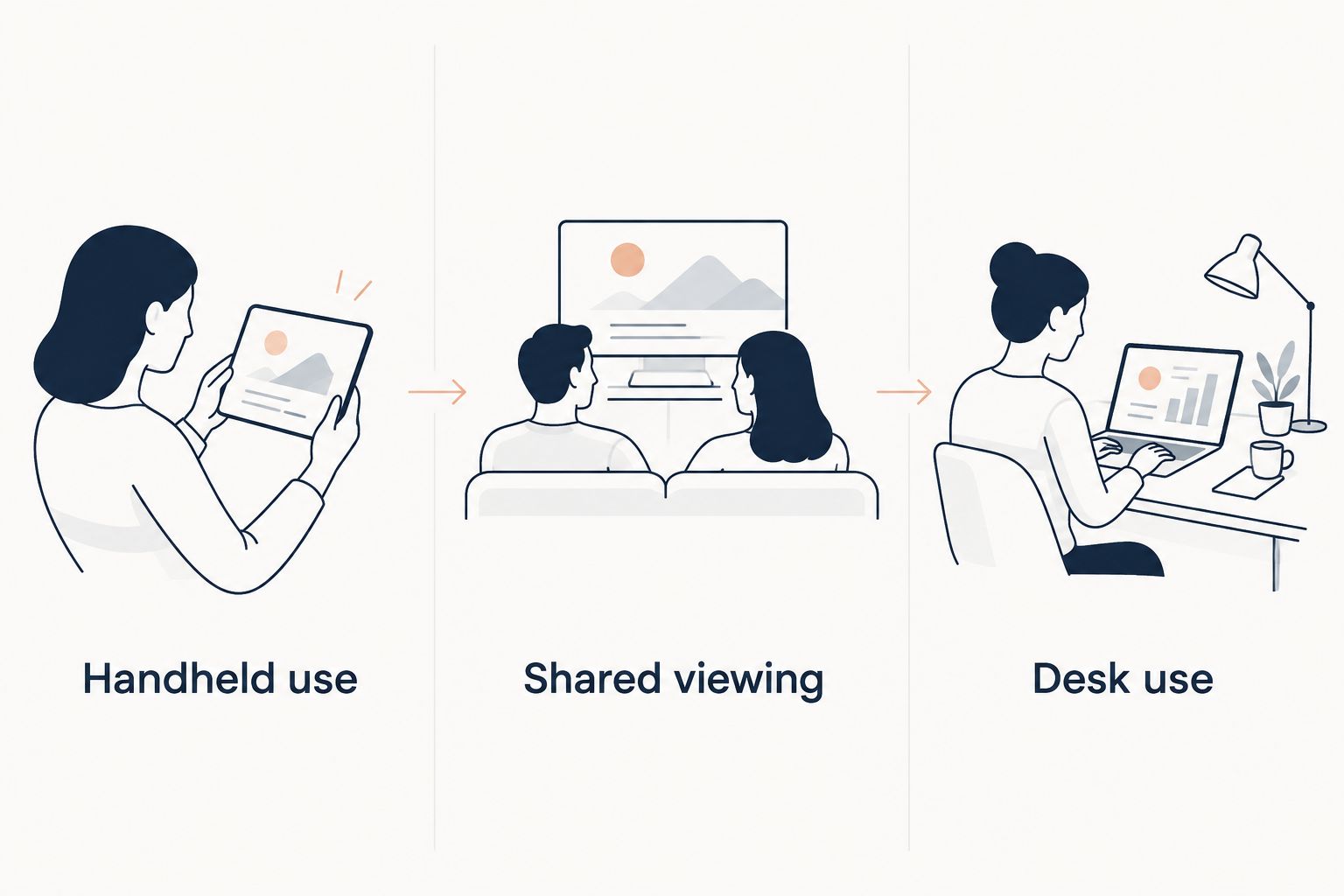
Match the tablet to your child's routine
Choose the setting first. A device used mainly at a desk has different practical needs from one held while reading.
- Handheld use: Start with the 10-inch option and check weight and grip.
- Shared viewing: Compare Redmi Pad 2 Pro with a suitable stand.
- Desk use: Consider G140L if typing is part of the routine.
Measure the place where the tablet will sit, too. A large screen needs a stable viewing position and room for any keyboard or mouse you plan to use.
Check these settings before handing it over
Your 2026 setup matters as much as your shortlist. Complete these checks using an adult-controlled account:
- Create the right account: Use a child account or supervised setup where supported.
- Check app approval: Confirm how new downloads are approved.
- Restrict purchases: Test the permission settings before adding payment details.
- Review content access: Check browser, search, video, and app restrictions separately.
- Install updates: Check for system and app updates before regular use.
- Test the routine: Open the actual apps your child will use.
Do not assume a case makes a tablet child-ready. A case addresses handling; account settings address access. Neither replaces the other.
Compare your tablet shortlist
Check the exact model, selected configuration, and accessories before choosing.
How these picks are ranked
This Thestoretosee guide ranks the listed tablets by screen format and intended use. The 10-inch option comes first for its smaller format, Redmi Pad 2 Pro serves shared viewing, and G140L serves desk-based activities.
The ranking does not claim hands-on testing, verified battery life, drop resistance, or confirmed parental controls. Those details should not be inferred from a product title.
Which tablet should you choose?
Start with the 10-inch Android 16 tablet unless your child specifically needs a larger screen. Move to Redmi Pad 2 Pro for shared viewing or G140L for a desk setup.
If you cannot confirm the required apps or parental controls, wait. A tablet that fits your household's rules is a better choice than one selected for a larger specification headline.
FAQ
What's the best tablet for kids in 2026?
The 10-inch Android 16 tablet is the starting pick in this shortlist for a smaller everyday device. Choose Redmi Pad 2 Pro for shared viewing or G140L for desk use, after checking apps and parental controls.
Is a bigger tablet better for a child?
A bigger tablet is better suited to shared viewing or a desk, not automatically to every child. Check the device's weight, grip, and usual viewing position before choosing.
Do these tablets include parental controls?
Parental-control support needs checking for each exact tablet and configuration. Confirm child accounts, app approvals, purchase restrictions, and content settings before buying.
Is virtual RAM the same as physical RAM?
No, virtual RAM uses storage rather than adding physical working memory. Read the physical RAM figure separately when comparing tablet specifications.
Can my child use a keyboard with a tablet?
A compatible keyboard can help with typing, but app support still matters. The G140L listing names a keyboard and mouse; confirm the selected bundle and test the tasks your child needs.
Does a tablet with a stylus work like a drawing tablet?
A listed stylus does not establish advanced drawing features. Check the exact stylus support and drawing-app requirements before buying for art.
What should I check before buying a tablet case?
Match the case to the exact model and dimensions, not screen size alone. Check access to the charging port, buttons, and cameras as well.
One last thing
Before choosing, write down the apps your child actually uses. Check those first, then account controls, then accessories. A bigger screen cannot fix the wrong app fit.
Thestoretosee's practical buying rule is simple: choose for the routine, then confirm the details.