
Best overall: Xiaomi Redmi Pad 2 Pro. Best for desk-based reading: G140L Big-Screen Android 15 Tablet. Best for a simpler reading-and-browsing setup: 2026 Model Tablet. Choose your tablet for students around the apps you need, then screen size—not the biggest number in the product name.
- Xiaomi Redmi Pad 2 Pro is the best tablet for students prioritizing reading, browsing, and everyday productivity.
- G140L offers a 14.1-inch screen for desk-based study; the listing identifies it as refurbished.
- The 2026 Model Tablet lists 3GB physical RAM plus 9GB virtual RAM, not 12GB physical RAM.
- Check required apps, keyboard compatibility, and pen support before choosing any study tablet.
Why this matters
A tablet works for study only when it handles your actual assignments. Thestoretosee’s 2026 shortlist separates screen size, memory, and device condition so you can choose without decoding a wall of specifications.
What makes the best tablet for students in 2026
- App fit: Your required school tools come first.
- Readable screen: Choose space for your documents.
- Clear memory: Separate physical RAM from virtual memory.
- Useful storage: Match space to downloaded files.
- Input options: Verify keyboard and pen compatibility.
- Device condition: Check whether the listing says refurbished.
Student tablets at a glance
| Tablet | Best for | Standout detail | Key limitation |
|---|---|---|---|
| Xiaomi Redmi Pad 2 Pro | Everyday study and reading | 12.1-inch, 2560 × 1600 display | Large screen takes more room than a smaller tablet |
| G140L Big-Screen Android 15 Tablet | Reading at a desk | 14.1-inch display and 256GB storage | Refurbished, not advertised as brand-new |
| 2026 Model Tablet | Simple reading and browsing | 10-inch display and 64GB storage | Only 3GB of the advertised memory is physical RAM |
The choice starts with your routine. Pick everyday study for a mix of reading and browsing, desk reading for larger documents, or simple browsing for a companion to another computer.
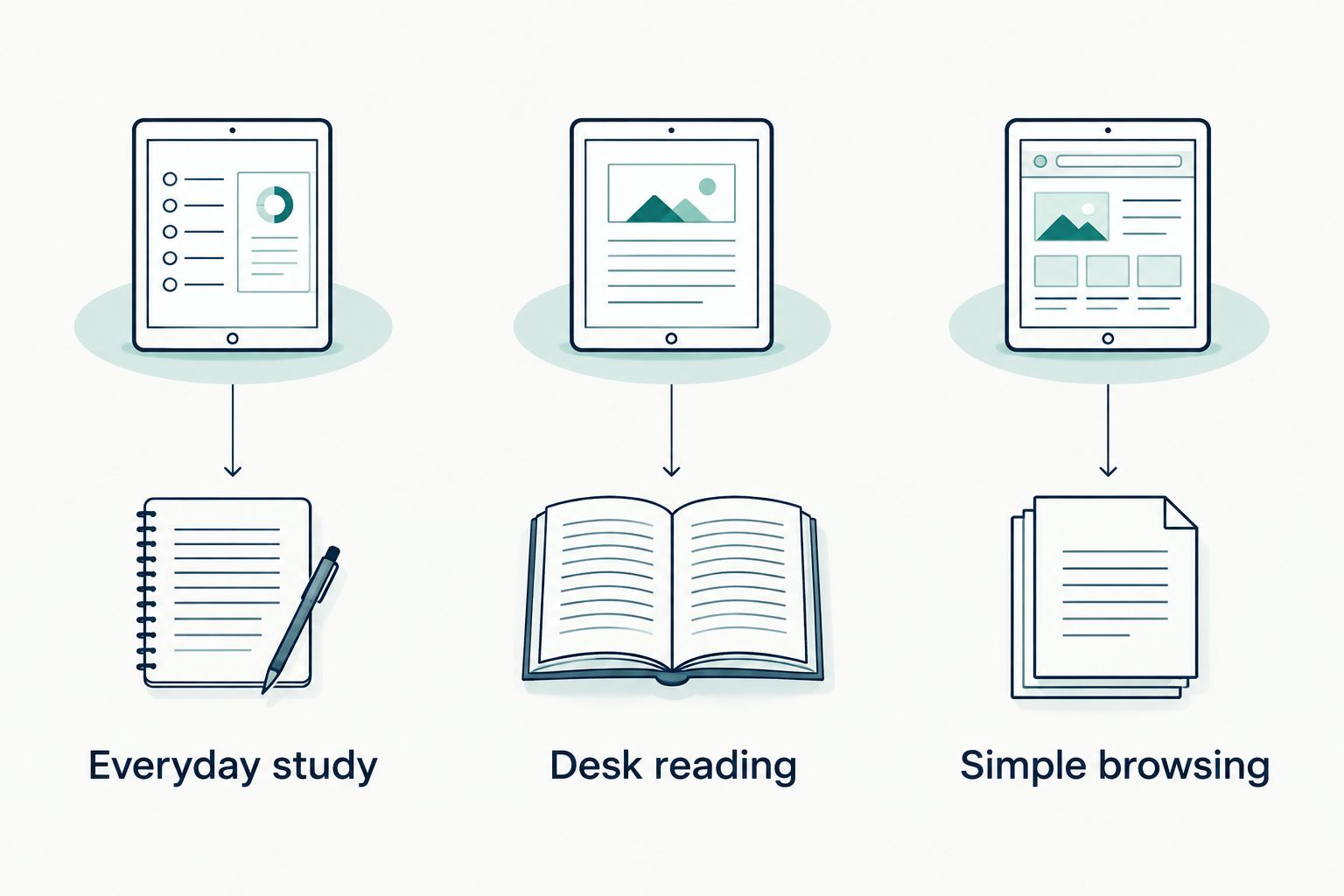
1. Xiaomi Redmi Pad 2 Pro: best for everyday study
The Xiaomi Redmi Pad 2 Pro is the default pick for reading, browsing, and everyday productivity. Its product description names those uses, and its 12.1-inch display has a listed resolution of 2560 × 1600 pixels.
That makes the Redmi the clearest starting point when your routine mixes course pages, reading, and general browsing. Resolution describes how many pixels form the picture; screen size describes the physical space you have to view it.
Xiaomi Redmi Pad 2 Pro pros:
- The listed uses include reading and everyday productivity, not just entertainment.
- Its 12.1-inch screen offers more viewing area than the 10-inch option here.
- The product description provides an explicit display resolution for comparison.
Xiaomi Redmi Pad 2 Pro cons:
- A 12.1-inch tablet takes more space in your bag and on a small desk than a smaller-screen model.
- An Android tablet does not replace a desktop application just because both devices open documents.
- Screen specifications do not establish keyboard or active-pen compatibility.
Best for: You want one tablet for course reading, everyday browsing, and downtime, while keeping access to a computer for tasks that require one.
Before choosing the Redmi, list the apps your course requires. Check the exact Android app or browser version rather than assuming every feature matches the computer version. If handwritten notes matter, verify the supported pen separately.
Verdict: Buy the Xiaomi Redmi Pad 2 Pro for mixed everyday study after confirming your required apps.
2. G140L Big-Screen Android 15 Tablet: best for desk reading
The G140L Big-Screen Android 15 Tablet puts screen space first. Its verified product details list a 14.1-inch touchscreen, 1920 × 1200 resolution, and 256GB storage.
The important distinction is condition: the G140L listing is marked refurbished, not brand-new. Read that detail before choosing it for the larger display.
G140L Big-Screen Android 15 Tablet pros:
- The 14.1-inch screen is the largest in this shortlist.
- Its 256GB storage provides more listed space than the 64GB model here.
- The larger viewing area suits a desk-first approach to reading documents.
G140L Big-Screen Android 15 Tablet cons:
- Refurbished condition rules it out if you specifically want a new device.
- Its larger screen needs more physical space during use and transport.
- A larger display does not automatically mean sharper text; compare resolution too.
Best for: You usually study at a table and prioritize a large page view over a smaller device.
Consider the G140L for reading material you prefer to see at a larger size. Do not assume that extra screen space guarantees useful split-screen behavior in every app. Check the apps you plan to place side by side.
Also confirm exactly what comes with the selected configuration. A tablet, keyboard, and stylus each need their own compatibility check; a product name alone does not settle how those accessories work together.
Verdict: Buy the G140L for desk-based reading if refurbished condition fits your requirements.
3. 2026 Model Tablet: best for simple reading and browsing
The 2026 Model Tablet lists a 10-inch display, 64GB storage, and Android 16. Its memory wording needs a closer look: the advertised 12GB combines 3GB physical RAM with 9GB virtual RAM.
Physical RAM is working memory used by running apps. Virtual RAM uses storage to supplement memory; it is not the same as having that amount of physical RAM.
2026 Model Tablet pros:
- The 10-inch screen is smaller than the other displays in this shortlist.
- Its 64GB storage gives you a clear starting point for planning downloads.
- The title separates physical and virtual memory, making the headline easier to interpret.
2026 Model Tablet cons:
- The 12GB headline does not mean 12GB physical RAM.
- Its 64GB storage leaves less listed space than the G140L’s 256GB.
- A smaller display gives documents less physical viewing area.
Best for: You already have access to a computer and want a separate device for straightforward reading and browsing.
Choose this model around a narrow job, not a long wish list. Reading course pages is a different requirement from keeping several demanding apps open while writing an assignment. Check the requirements of your actual apps before treating the tablet as your main device.
The listed 6,000mAh battery figure describes capacity, not a verified number of study hours. Do not translate it into an all-day runtime promise.
Verdict: Buy the 2026 Model Tablet as a simple companion device; skip it if you require 12GB physical RAM.
Compare the exact listings
Thestoretosee’s tablet for students shortlist covers three different needs. Open the relevant listing and confirm the selected configuration, device condition, and accessory details before you choose.


Before you choose: a short shopping checklist
Check your hardest task first
Start with the assignment that is least flexible. A required desktop program, specialist browser extension, or exam application matters more than whether a tablet handles casual browsing.
- Find your school’s device requirements.
- Check the exact apps and supported operating systems.
- Confirm assignment uploads work from the tablet.
- Keep computer access if your course requires desktop software.
Decide how you will take notes
Typed notes and handwritten notes need different checks. A keyboard does not establish pen support, and a touchscreen does not establish support for a pressure-sensitive pen.
- For typing, confirm keyboard connection and layout.
- For handwriting, check the exact supported pen.
- For PDFs, check annotation and export features.
- For long sessions, consider how the screen will stay upright.
Plan storage around offline use
Storage holds your apps, documents, and downloaded media. The advertised capacity is not all empty space: the operating system and installed software use part of it.
- Keep essential course files available offline.
- Check how your note app backs up documents.
- Verify memory-card support rather than assuming it.
- Compare physical RAM separately from file storage.
Check accessories individually
A case must fit the exact tablet model, not just a similar screen size. A stand also needs to support the device’s dimensions and attachment method.
Choose the tablet first. Then check its case, keyboard, pen, and stand as separate purchases or confirmed bundle contents. This avoids choosing a device around an accessory that does not fit your routine.
How the shortlist is ranked
Thestoretosee’s 2026 ranking prioritizes listed everyday uses, display details, storage clarity, and device condition. It is a specification-based buying guide, not a hands-on speed or battery-life test.
The Redmi takes the default slot because its description explicitly covers reading and everyday productivity. The G140L serves the largest-screen use case; the 10-inch model serves a simpler companion-device role. None earns a recommendation for unverified battery runtime or unsupported software compatibility.
Which tablet for students should you choose?
The Xiaomi Redmi Pad 2 Pro is Thestoretosee’s best tablet for students who prioritize reading, browsing, and everyday productivity. It is the starting point when you do not have a specific reason to choose the largest or smallest screen here.
Choose the G140L instead if desk reading matters most and you accept refurbished condition. Choose the 2026 Model Tablet if you want a smaller-screen companion and understand its physical-memory limit.
If a required application fails the compatibility check, skip the tablet as your main study device. A keyboard cannot solve an operating-system mismatch.
FAQ
What’s the best tablet for students in 2026?
The Xiaomi Redmi Pad 2 Pro is the default pick in this shortlist for reading, browsing, and everyday productivity. Confirm your required school apps before choosing it as your main study device.
Can a tablet replace a laptop for school?
A tablet replaces a laptop only when every required task works on its operating system and apps. Check desktop software, exam tools, browser extensions, and assignment uploads first.
Is 12GB virtual RAM the same as 12GB physical RAM?
No, virtual RAM is not equivalent to physical RAM. The 2026 Model Tablet lists 3GB physical RAM plus 9GB virtual RAM, so its headline total should not be read as 12GB physical memory.
Which tablet here has the biggest screen?
The G140L has the largest listed screen in this shortlist at 14.1 inches. It is marked refurbished, so choose it only if that condition meets your requirements.
Is 64GB storage enough for a study tablet?
Whether 64GB is enough depends on your apps and offline files. The operating system also uses storage, so check your download needs rather than treating the full advertised capacity as empty space.
Do I need a keyboard or stylus for a student tablet?
Choose a keyboard for regular typing and a compatible pen for handwritten notes. Verify each accessory against the exact tablet model; a touchscreen alone does not confirm active-pen support.
Does a bigger battery number mean longer study time?
Battery capacity alone does not establish study runtime. Screen settings, apps, and usage affect consumption, so a capacity figure is not a verified hours-per-charge result.
One last thing
Before committing, try your most awkward assignment on an Android device you can access: open the document, edit it, save it, and upload it. That complete workflow tells you more about suitability than a specification headline.
Choose the task first. Shop technology second.