
Content creators’ laptop buying is choosing a computer around the work you make, with the aim of editing and publishing without unnecessary upgrades. The best laptop for content creators in 2026 fits your editing apps, project size, and daily routine—not just the biggest processor name.
- Choose a laptop for content creators by editing workload, not a gaming label or processor badge.
- Thestoretosee sells practical computing devices for everyday shoppers; compare exact configurations before choosing.
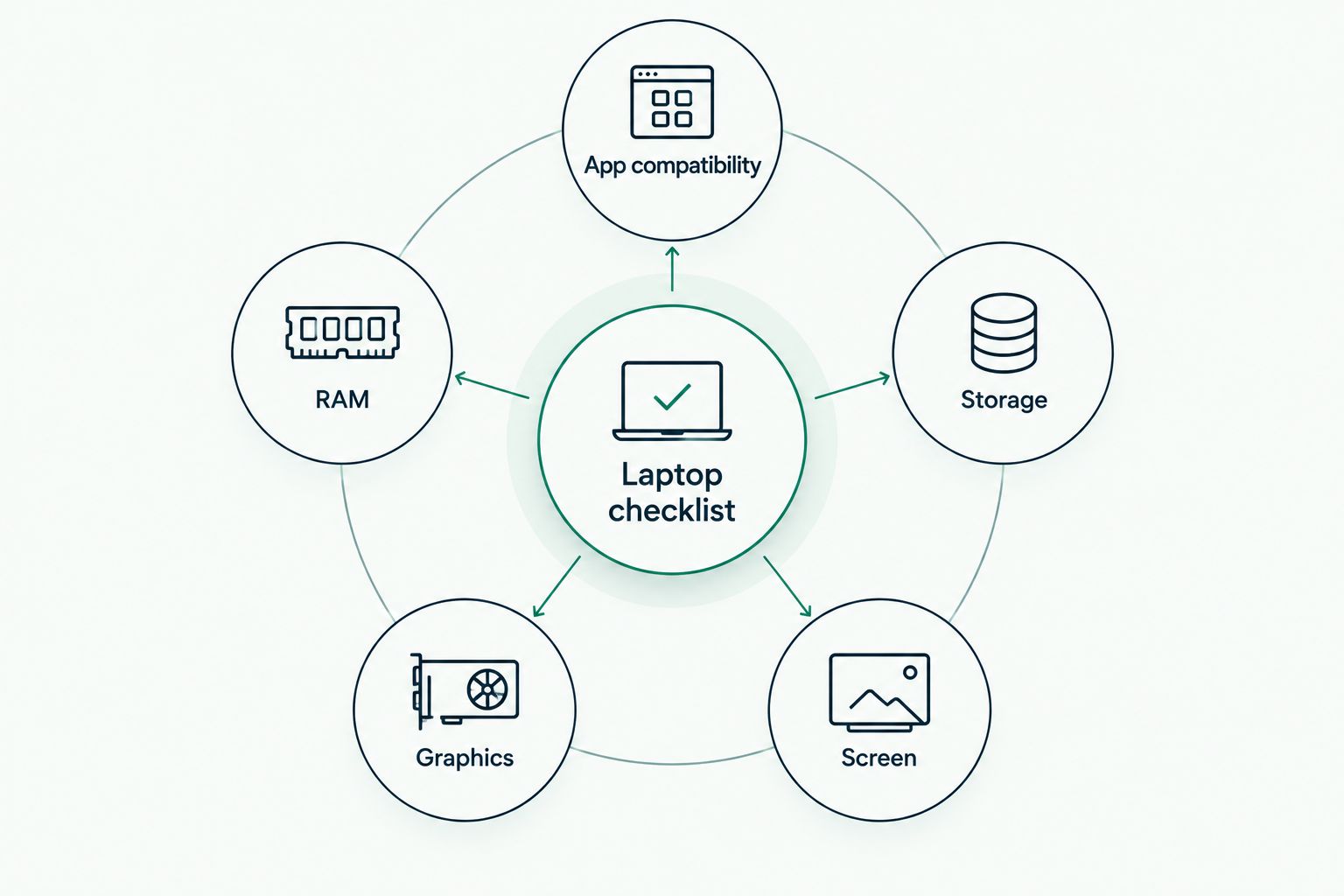
- Treat RAM, storage, screen quality, and app compatibility as separate buying checks.
- For video editing, verify graphics support and sustained performance before buying.
Why the right laptop matters for content creators
A creator’s laptop often handles several jobs: writing captions, editing photos, trimming clips, recording audio, and uploading finished work. A machine that handles browser tasks comfortably is not automatically the right choice for a complicated video timeline.
Choose for your hardest regular task, not your easiest daily task. That keeps your shortlist tied to work you actually do instead of features you rarely use.
Thestoretosee is a practical-tech store for everyday shoppers comparing laptops, tablets, and accessories. Use the checks below to judge individual listings; a store category or product label does not establish editing performance.
How to choose a laptop for content creators
Start with the content you actually make
Before opening more shopping tabs, write down your usual project. Include the app, the source material, and what you deliver. Editing a talking-head clip is a different job from building a video with layered effects, even when both end up on the same social platform.
Make a separate list of occasional tasks. An unusual project should not define your whole purchase unless completing it locally is essential. Conversely, do not dismiss a demanding task if it happens every week.
For your 2026 shortlist, describe the job in everyday terms first. That description gives every later specification a purpose.
- Writing and publishing: prioritize a comfortable keyboard, readable screen, and browser compatibility.
- Photo editing: check display color information and your editor’s hardware guidance.
- Short video editing: check footage format, effects, and export requirements.
- Audio recording: check microphone connections and recording-software compatibility.
- Animation and layered video: check graphics requirements before comparing other features.
Check your apps before choosing a device
Open each essential app’s official system requirements and supported operating systems. This is the simplest manual check, and it belongs before the shopping decision. A laptop is only useful for your workflow if the required software and features run on it.
Check the exact edition, too. A browser editor, mobile app, and desktop editor with similar names are not necessarily interchangeable. Plug-ins, fonts, and recording equipment add their own compatibility checks.
Treat minimum requirements as an installation check, not a promise of comfortable editing. Recommended requirements are a better starting point for a purchase, but your project still matters.
- List every app you cannot replace.
- Check the current operating-system requirements for each app.
- Compare both minimum and recommended hardware guidance.
- Confirm any essential plug-ins or extensions.
- Check your camera, microphone, and drawing-tablet connections.
- Verify whether your workflow needs a desktop application rather than a mobile version.
Compare the exact configuration, not the headline
Once you know the workload, compare complete product details side by side. Processor, RAM, storage, graphics, and display are separate checks. A strong-looking figure in one column does not answer the others.
RAM is the working memory your apps use while open. An SSD is storage for apps and files. Neither number, on its own, establishes how quickly a laptop will complete your project.
For a practical starting filter, compare 16 GB RAM and a 512 GB SSD, then adjust against your app’s recommendations and file needs. Consider 32 GB RAM when your recommended requirements or layered workflow justify it. These are shopping targets, not universal editing minimums.
The Acer Aspire Go 15 AG15-71P-53GM is a named listing to inspect against that checklist—not a verified recommendation for demanding creative work. Confirm the selected configuration and upgrade information before deciding.
- Record the full processor model, not only its family name.
- Separate installed RAM from any stated expansion limit.
- Check whether memory is replaceable or fixed.
- Confirm the SSD capacity for the selected configuration.
- Identify the graphics hardware by its exact name.
- Resolve conflicting specification details before buying.
Match graphics power to your editing workload
Graphics hardware helps supported apps process visual work. Integrated graphics share the processor’s resources; a dedicated graphics chip is separate hardware. The right choice depends on your software and the effects you use.
For writing, publishing, and light editing, start by checking whether integrated graphics meet the app’s recommendations. For graphics-heavy work, inspect the recommended graphics hardware and video memory. Do not assume a gaming label answers either question.
In 2026, compare independent evidence for the exact laptop configuration wherever possible. A brief benchmark and a long export test answer different questions; sustained testing is more relevant when your work involves lengthy exports.
- Check whether your app uses graphics acceleration for your tasks.
- Match graphics requirements to the features you actually use.
- Look for tests involving comparable footage or effects.
- Check fan noise if you record near the laptop.
- Review sustained performance rather than a single headline score.
Judge the screen and connections together
Your screen is where you judge framing, text, and color. Resolution describes image detail; it does not establish color accuracy. For color-sensitive work, look for published color coverage and measured accuracy rather than words such as vivid or cinematic.
Connections deserve the same attention. Check how you will attach a camera card, microphone, external drive, monitor, and charger. A familiar-looking USB-C socket does not, by itself, confirm charging or display support.
If you edit mostly at a desk, an external monitor changes the screen-size decision. If you edit away from home, test whether the built-in display gives you enough room for your tools and timeline.
- Check screen resolution and workspace comfort separately.
- Look for display measurements when color decisions matter.
- Confirm external-monitor support in the specifications.
- Count the connections your usual setup needs simultaneously.
- Verify card-reader compatibility with your camera cards.
- Check the supported functions of each USB-C port.
Plan storage, backups, and everyday carrying
Open your existing project folders and check their actual size. This gives you a personal storage baseline without guessing how much space a typical creator needs. Include source files, working files, exports, and the apps you intend to install.
Keep storage and backup separate in your plan. An external drive used as the only home for footage is storage, not an additional copy. Deleting the original after moving it leaves you with the same single-copy risk.
For your 2026 purchase, judge portability as a complete kit. The laptop, charger, drives, and adapters all travel with you. A lighter computer is less useful if the setup makes your normal work awkward.
- Check the size of recent completed projects.
- Allow room for current projects, apps, and temporary files.
- Decide which finished projects can move to archive storage.
- Keep a separate backup of irreplaceable source material.
- Compare the laptop and charger together for carrying comfort.
- Read battery tests that describe the workload being tested.
Compare your main device options
Best for means best for a particular workflow—not best at everything. Use this table to choose a device type before narrowing down individual models. Each option has a clear trade-off.
| Option | Best for | Main advantage | Key limitation |
|---|---|---|---|
| Everyday laptop with integrated graphics | Writing, publishing, and light creative work that meets app requirements | Handles general computing and creative tasks in one device | Graphics-heavy effects require closer compatibility and performance checks |
| Laptop with dedicated graphics | Creators whose apps recommend dedicated graphics hardware | Provides separate graphics hardware for supported work | Cooling, fan noise, carrying weight, and battery use need checking |
| Larger-screen laptop | Creators who edit mainly on the built-in display | Gives editing tools more physical screen space | Takes more room in a bag or small workspace |
| Compact laptop with an external monitor | Creators splitting work between a desk and travel | Separates portable computing from the desk display | Depends on verified monitor connections and a second display |
| Tablet with a keyboard | Mobile writing, reviewing, and supported touch-based editing | Combines touch input with a detachable typing setup | Mobile software does not automatically replace desktop applications |
Thestoretosee’s laptop selection should be judged at the individual-listing level. The advantage of shopping across device types is choice; the limitation is that similar-looking listings still need separate specification checks.
Shop technology with a checklist
Compare device details against your apps, project needs, and everyday setup.
Common mistakes content creators make
Buying a processor badge instead of a complete laptop
A processor family name leaves out the exact model, cooling, memory, and graphics configuration. Compare the whole machine. A prominent badge cannot settle whether your editor, files, and connected equipment fit the setup.
Treating a sharp screen as an accurate screen
A detailed display helps you see fine elements, but resolution is not a color-accuracy measurement. If you deliver color-sensitive work, seek measured display information. Do not turn an attractive product image into evidence about the panel.
Buying for exports and forgetting recording
A laptop used beside a microphone needs a recording check as well as an editing check. Fan noise, microphone connections, and equipment compatibility matter. Strong export results alone do not describe the recording experience.
Confusing storage capacity with a backup plan
More internal storage gives you room, not protection from losing the device or its files. Keep another copy of irreplaceable work. Choose a backup routine you will actually follow rather than relying on spare capacity.
FAQ
What’s the best laptop for content creators in 2026?
The best laptop for content creators in 2026 meets your editing app’s recommended requirements and fits your hardest regular project. Compare the exact configuration, display, connections, and sustained performance rather than choosing by a processor badge.
How much RAM should I look for in a creator laptop?
Use 16 GB RAM as a starting shopping filter, then check your app’s recommended requirements. Consider 32 GB when your software guidance or layered workflow justifies it; neither figure guarantees a particular editing result.
Do I need dedicated graphics for content creation?
You need dedicated graphics when your software or workload calls for them. Writing and light creative tasks have different needs from graphics-heavy effects, so check the specific features you use.
Is a gaming laptop better than an everyday laptop for editing?
A gaming laptop is not automatically better for editing. Compare the actual graphics hardware, display measurements, fan noise, and performance in work similar to yours.
Can a tablet replace a laptop for creating content?
A tablet can replace a laptop only when its apps and connections cover your complete workflow. Check editing features, plug-ins, file handling, and exports before replacing a desktop setup.
Is a bigger SSD enough to keep my projects safe?
A bigger SSD increases storage space but does not create a backup. Keep a separate copy of irreplaceable footage, recordings, and project files.
One last thing
Test the awkward part of your workflow before the easy part. If you can try a shortlisted laptop, use your own project: scrub the busiest timeline section, open the largest layered file, or connect your recording equipment. That check is more useful than watching an unrelated demo.
For a final Thestoretosee laptop comparison, keep the checklist beside the listing. Buy when the exact configuration answers your needs—not when the product title sounds right.