
Best overall: Acer Aspire Go 15. Best for a smaller setup: the 14.1-inch Windows 11 Laptop. Best for basic browsing and documents: the FUCHU 15.6-inch Windows 11 Laptop, after compatibility checks. Choose your budget laptop for students in 2026 around the apps you need, not the biggest number in the product title.
- Acer Aspire Go 15 is the best overall budget laptop for students on this shortlist for documents and everyday study.
- Choose the 14.1-inch Windows 11 Laptop when a smaller screen suits your setup.
- Consider the FUCHU laptop for basic tasks only after checking processor and Windows compatibility.
- Match required apps first, then compare memory, storage, screen size, and carrying needs.
Why this matters
A study laptop also handles everyday life: email, shopping, video calls, and entertainment. Your choice should fit those jobs without making schoolwork harder.
Thestoretosee’s Acer Aspire Go 15 is the best overall laptop pick here for shoppers who want a clearly specified document-and-study setup. The Acer Aspire Go 15 Work & Study Laptop lists a Core i5 processor, 8GB RAM, and a 512GB SSD. That is a clearer starting point than a listing covering several different processors.
What makes the best budget laptop for students?
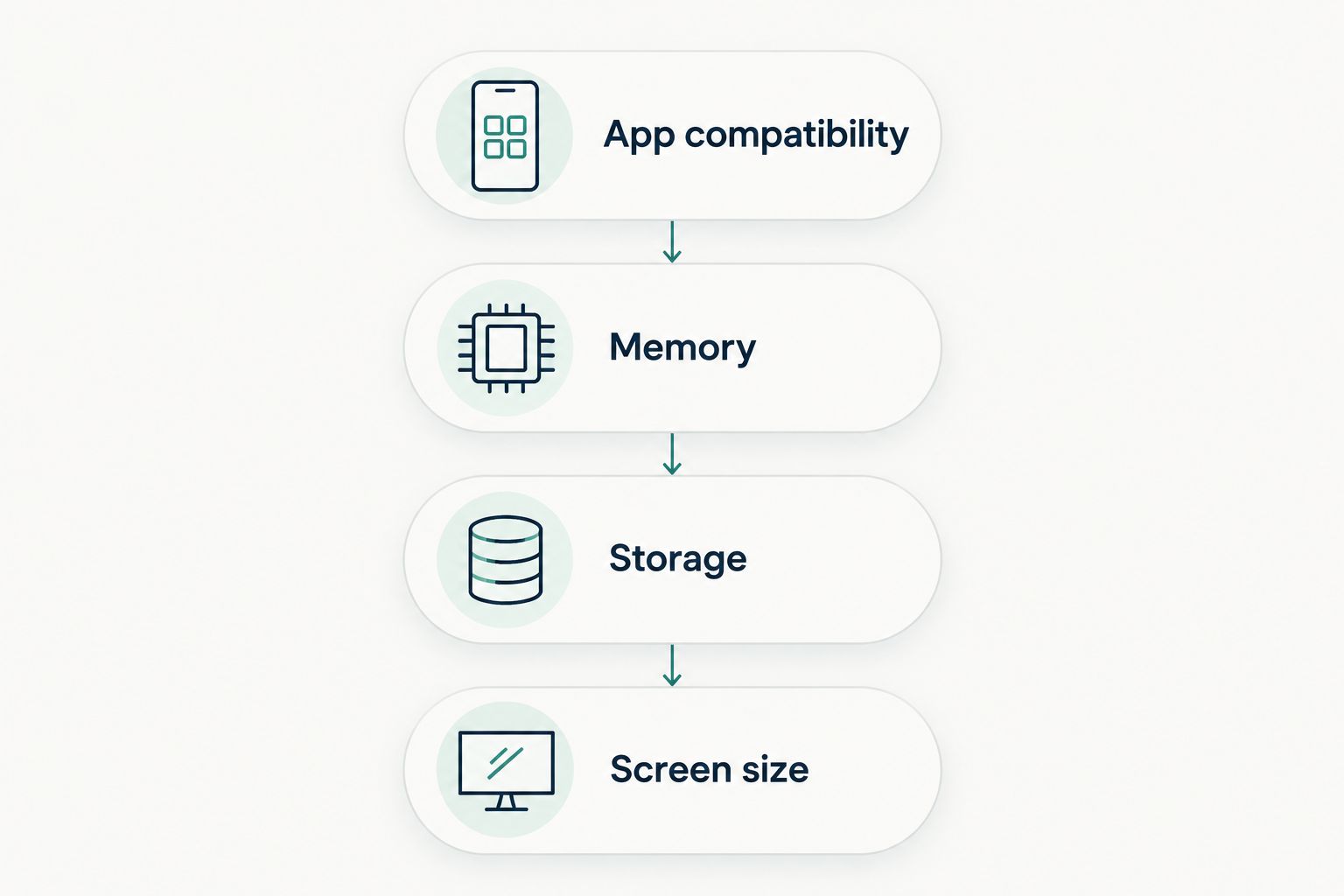
Use this checklist for your 2026 shortlist:
- App compatibility: Check your school’s required software and operating system before choosing hardware.
- Memory: RAM is the working space for open apps. Compare it alongside the processor, not by itself.
- Storage: An SSD stores your files and installed apps. Choose capacity around what you keep locally.
- Screen size: A larger screen gives documents more room; a smaller screen suits a more compact setup.
- Configuration clarity: Match the selected processor, memory, and storage to the details you intend to buy.
- Carrying needs: Check actual weight, dimensions, and battery information rather than relying on words such as portable.
Start with software, then narrow the hardware. A laptop that cannot run a required course app is the wrong choice, regardless of its memory or storage.
Student laptop picks at a glance
These are use-case recommendations, not a lowest-cost ranking. Each laptop has a different reason to make your shortlist.
| Laptop | Best for | Standout detail | Key limitation |
|---|---|---|---|
| Acer Aspire Go 15 Work & Study Laptop | Everyday documents and study | Core i5, 8GB RAM, 512GB SSD, 15.6-inch Full HD screen | Less listed RAM than the other picks |
| 14.1-inch Windows 11 Laptop — 12GB RAM, SSD Options | A smaller setup | 14.1-inch screen and 12GB listed RAM | Processor and storage vary by configuration |
| FUCHU 15.6-inch Windows 11 Laptop — Core i3, 16GB RAM | Basic browsing and documents | 16GB listed RAM and a 15.6-inch screen | Check processor compatibility with required software and Windows |
1. Acer Aspire Go 15: best for everyday documents and study
The Acer Aspire Go 15 AG15-71P-53GM lists a Core i5 processor, 8GB RAM, a 512GB SSD, and Windows 11. Its 15.6-inch Full HD screen gives you room for documents and everyday entertainment.
Best for: Shoppers who want one laptop for assignments, household tasks, and general use.
Acer Aspire Go 15 pros
- The listing identifies a specific model rather than several processor options.
- The 512GB SSD provides local space for files and apps.
- The 15.6-inch Full HD screen suits document-focused work.
Acer Aspire Go 15 cons
- Its 8GB RAM is lower than the other shortlisted models’ listed memory.
- The 15.6-inch screen is larger than the compact pick’s screen.
- A Core i5 label alone does not establish compatibility with specialist course software.
Choose the Acer Aspire Go 15 for its stated configuration, not an assumption that every Core i5 laptop behaves the same. Check the full processor model against any course requirements before ordering.
Verdict: Buy for everyday study after confirming your required apps.
2. 14.1-inch Windows 11 Laptop: best for a smaller setup
The 14.1-inch Windows 11 Laptop lists 12GB RAM and offers different processor and SSD configurations. Its smaller screen is the main reason to choose it over the larger notebooks here.
Best for: Shoppers who prefer a compact screen for shared tables, smaller desks, or frequent moves between rooms.
14.1-inch Windows 11 Laptop pros
- The 14.1-inch screen offers a smaller alternative to the 15.6-inch picks.
- The listing specifies 12GB RAM.
- Processor and storage options let you compare configurations around your needs.
14.1-inch Windows 11 Laptop cons
- Different configurations mean the title does not describe one fixed machine.
- A smaller screen leaves less room for side-by-side documents.
- Screen size alone does not establish carrying weight or battery life.
Before choosing this laptop, read the selected variant carefully. Confirm the exact processor and SSD capacity; do not treat every number in a multi-option title as part of the same device.
Verdict: Buy for a smaller setup once the selected configuration is clear.
3. FUCHU 15.6-inch Windows 11 Laptop: best for basic tasks
The FUCHU laptop is described for browsing, documents, online learning, and general home or office use. Its listed specifications include a Core i3-6006U processor, 16GB RAM, and a 15.6-inch screen.
Best for: Shoppers whose work centers on straightforward documents and browser-based tasks, subject to compatibility checks.
FUCHU laptop pros
- The description names everyday uses rather than only gaming claims.
- The listing specifies 16GB RAM.
- The 15.6-inch screen gives basic document work a larger viewing area.
FUCHU laptop cons
- More RAM does not remove processor limitations.
- A Windows 11 label does not by itself verify supported hardware compatibility.
- Basic-use positioning is not evidence of suitability for demanding course apps.
Check the exact processor against Microsoft’s supported Windows requirements and your school’s software requirements. Do not choose the FUCHU laptop just because its listed RAM exceeds the Acer’s.
Verdict: Hold until processor and operating-system compatibility are confirmed.
Compare the configurations before you choose
Thestoretosee’s laptop shortlist gives you a straightforward choice: the Acer for a clearly stated everyday setup, or the 14.1-inch model for a smaller screen. Open the product details and check the selected configuration before making your decision.


How the picks are ranked
This 2026 shortlist prioritizes required apps, configuration clarity, memory, storage, and screen size. The ranking reflects the supplied product details, not hands-on testing or measured battery results.
Acer takes the default slot because its listing identifies a specific model and configuration. The compact notebook earns a separate smaller-screen slot; the FUCHU stays conditional because compatibility matters more than its RAM total.
Which student laptop should you choose?
Start with the Acer Aspire Go 15 if you want an everyday study laptop with a clearly stated configuration. Choose the 14.1-inch Windows 11 Laptop if a smaller screen matters more, and verify the exact variant first.
Keep the FUCHU laptop on hold until its compatibility checks are complete. For a 2026 purchase, checking required software is a better first step than choosing by processor branding or memory alone.
Shop technology at Thestoretosee with your app checklist beside you. Compare the device you will actually receive—not just the headline.
FAQ
What's the best budget laptop for students in 2026 on this shortlist?
The Acer Aspire Go 15 is the best overall pick on this shortlist for everyday documents and study. Its listing specifies a Core i5 processor, 8GB RAM, a 512GB SSD, and a 15.6-inch Full HD screen; confirm your required apps before buying.
Should I choose a laptop with more RAM?
Choose RAM alongside the processor and your app requirements, not instead of them. A larger memory figure does not establish that a laptop will run demanding software well.
Is a 14.1-inch laptop better than a 15.6-inch laptop?
A 14.1-inch laptop is the better fit when you prefer a smaller screen and setup. A 15.6-inch screen gives documents more room, but check actual dimensions and weight before deciding what to carry.
Can I use the FUCHU laptop for schoolwork?
Consider the FUCHU laptop only after confirming compatibility with your required apps and Windows. Its description covers browsing, documents, and online learning, not verified performance in specialist course software.
Does a Windows 11 listing guarantee compatibility?
No. Check the exact hardware against Microsoft's supported Windows requirements and check each required app separately.
What should I check before ordering a student laptop?
Check the selected processor, RAM, SSD capacity, screen details, and required software compatibility. For carrying between classes or rooms, also confirm weight, dimensions, and battery information.
One last thing
A model-year label is not a processor specification. When shopping in 2026, read the exact processor name and selected configuration rather than assuming the year in a title establishes hardware age or performance.
Thestoretosee’s practical shopping rule is simple: match your apps, choose your screen, then check the details.