
Best overall for daily carry: a padded laptop backpack. Best for an existing bag: a fitted sleeve; best for laptop-and-charger trips: a compact briefcase. Thestoretosee’s 2026 laptop bags and sleeves guide helps you choose a carry style, then check the details that matter.
- Choose a padded laptop backpack for hands-free everyday carry.
- Choose a fitted laptop sleeve when you already have a comfortable outer bag.
- Thestoretosee’s laptop bags and sleeves guide prioritizes fit, protected corners, and practical storage.
- Compare internal measurements, not just the advertised screen size.
Why this matters
A laptop bag needs to fit your computer and your routine. A sleeve adds little bulk, but it does not replace a bag when you also carry a charger, lunch, and personal items.
Buying the device too? Browse laptops and tablets at Thestoretosee before choosing the bag. Match the bag to the computer you actually buy, including any fitted cover.
What makes the best laptop bags and sleeves in 2026?
Check these details before choosing a style:
- Internal fit: Compare the compartment’s usable measurements with your laptop’s width, depth, and thickness.
- Padding placement: Look for cushioning around the base and corners, not just the broad sides.
- Comfort: Choose straps and handles that suit how you carry your daily load.
- Separate storage: Keep chargers, keys, and other hard objects away from the laptop.
- Easy access: Check whether the opening lets you remove the computer without catching its corners.
- Weather protection: Read the stated protection carefully. Water-resistant does not mean waterproof.
The best bag is the smallest practical option that fits your laptop and everything you normally carry. Extra space is useful only when you need it.
Laptop bags and sleeves at a glance
These rankings compare carry styles. Features vary within each style, so use the checklist above to assess individual bags.
| Rank and style | Best for | Feature to look for | Main limitation |
|---|---|---|---|
| 1. Padded laptop backpack | Hands-free daily carry | Separate padded laptop compartment | More bag than a laptop-only trip needs |
| 2. Fitted laptop sleeve | Carrying a laptop inside another bag | Close fit with protected edges | Little room for accessories |
| 3. Compact laptop briefcase | Laptop-and-charger trips | Separate charger pocket and comfortable handle | Hand or shoulder carry rather than backpack carry |
| 4. Laptop tote | Frequent access during short trips | Secure closure and dedicated laptop section | One-sided carrying can feel awkward |
| 5. Hard-shell laptop carrying case | Structured packing for travel | Interior padding that holds the device securely | Rigid shape takes up packing space |
1. Padded laptop backpack: best for hands-free daily carry
A padded laptop backpack is the default choice when your computer travels with other belongings. Choose a dedicated laptop compartment rather than leaving the device loose in the main section.
Best for: Walking, public transport, and everyday trips with several items.
Padded laptop backpack pros:
- Keeps your hands free.
- Provides separate spaces for daily essentials.
- Uses two shoulder straps rather than one.
Padded laptop backpack cons:
- Adds bulk when you carry only a laptop.
- A deep main compartment can make small accessories harder to find.
Shopping check: Inspect the base of the laptop compartment. A raised bottom keeps the computer from resting directly against the bag’s outer base, but it is not a drop-protection guarantee.
Verdict: Buy for everyday carry with extras.
2. Fitted laptop sleeve: best for an existing bag
A laptop sleeve wraps the computer in a separate protective layer. It works best inside a backpack, tote, or other bag you already enjoy using.
Best for: Adding a dedicated laptop layer without replacing your current bag.
Fitted laptop sleeve pros:
- Takes up less room than a complete laptop bag.
- Separates the computer from other belongings.
- Moves easily between different outer bags.
Fitted laptop sleeve cons:
- Usually offers limited accessory storage.
- Does not provide backpack-style carrying comfort.
Shopping check: Look for a covered zipper edge inside the opening. Avoid a fit so tight that closing the sleeve presses against the computer’s corners.
Verdict: Buy if your existing bag already handles the rest.
3. Compact laptop briefcase: best for laptop-and-charger trips
A compact briefcase keeps a small computing setup together without a full backpack. Choose one with a separate accessory pocket so the charger does not press against the laptop.
Best for: Short trips carrying your computer, charger, and a few small essentials.
Compact laptop briefcase pros:
- Keeps the laptop and charger together.
- Offers a straightforward opening for access.
- Avoids the space of a larger everyday backpack.
Compact laptop briefcase cons:
- Leaves less room for bulky personal items.
- Requires hand carrying or a shoulder strap.
Shopping check: Check handle attachment points and the shoulder strap, if included. A comfortable empty bag can feel different once packed.
Verdict: Buy for a small, focused carry setup.
4. Laptop tote: best for frequent access on short trips
A laptop tote combines an everyday open-top bag shape with a dedicated computer section. Choose a secure main closure and a padded laptop compartment rather than assuming any large tote is suitable.
Best for: Short errands and trips where you frequently reach for your belongings.
Laptop tote pros:
- Gives direct access to the main compartment.
- Combines personal items and computing essentials.
- Uses a familiar everyday bag format.
Laptop tote cons:
- Carries the load on one side at a time.
- Loose contents can crowd the laptop compartment.
Shopping check: Make sure the straps feel comfortable with your usual clothing. Keep drinks separate from the computer, even when the tote has a bottle pocket.
Verdict: Buy for easy access; skip for long walks with a heavy load.
5. Hard-shell laptop carrying case: best for structured packing
A hard-shell carrying case adds a rigid outer shape around a padded interior. This means a separate carrying case, not a snap-on cover attached to the computer.
Best for: Travelers who want a structured place for their laptop in their packing setup.
Hard-shell laptop carrying case pros:
- Holds a defined shape during packing.
- Keeps the laptop separate from loose belongings.
- Can organize accessories when separate sections are provided.
Hard-shell laptop carrying case cons:
- Takes up space even when partly empty.
- A rigid shell alone does not establish impact or water protection.
Shopping check: Confirm the interior fits without pressure on the lid. Treat waterproof or impact-protection claims as product-specific, not automatic features of a hard shell.
Verdict: Buy for structured packing; skip if compact everyday carry matters more.
Check laptop fit before buying in 2026
Screen size is measured diagonally. It does not tell you the computer’s complete outside dimensions, so a 13-inch, 15.6-inch, or 16-inch label is only a starting point.
Use this short checklist:
- Measure the laptop: Record its outside width, depth, and thickness, including any cover you keep attached.
- Check internal dimensions: Compare those measurements with the usable laptop compartment, not the bag’s exterior.
- Check the opening: Make sure the laptop can pass through without forcing the zipper or bending the opening.
- Plan accessories: Give the charger its own space instead of squeezing it beside the screen.
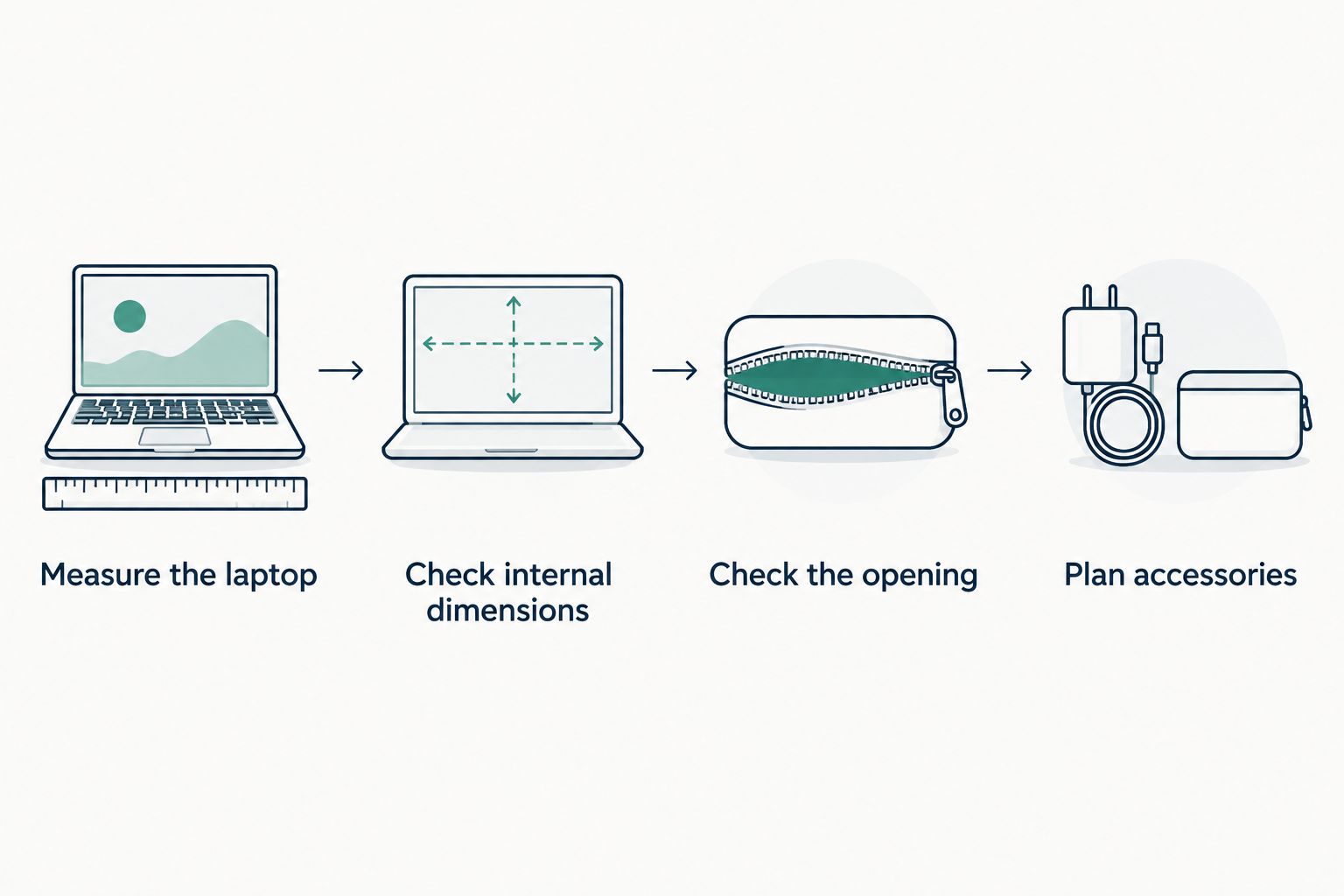
A larger bag is not automatically a better fit. If the computer slides around inside, look for a closer-fitting compartment or a suitable sleeve.
How the 2026 ranking works
Thestoretosee’s laptop bags and sleeves ranking puts everyday usefulness first: fit, padding placement, carrying comfort, separate storage, and access. The backpack takes the default slot because it accommodates a computer alongside everyday belongings while leaving your hands free.
Your routine changes the winner. An existing bag makes a sleeve more practical; a laptop-only trip makes a compact briefcase easier to justify. No style earns a waterproof or drop-protection claim just from its shape.
Which laptop bag or sleeve should you choose?
Choose a padded laptop backpack if you are undecided and regularly carry more than your computer. Choose a fitted sleeve if your current bag already works well.
Before buying, check the exact compartment dimensions, closure, and accessory layout. Those details matter more than choosing the longest feature list.
FAQ
What’s the best laptop bag for everyday use?
A padded laptop backpack is the best default for everyday use when you carry a computer and other belongings. Look for a separate laptop compartment, comfortable straps, and dedicated charger storage.
Is a laptop sleeve better than a laptop bag?
A laptop sleeve is better when you already have a suitable outer bag. A laptop bag is more practical when you need carrying handles, straps, and room for accessories.
Will any bag labeled for my screen size fit my laptop?
No. Screen size describes the display’s diagonal measurement, not the computer’s outside width, depth, and thickness. Compare your laptop’s measurements with the compartment’s usable internal dimensions.
Do I need a sleeve inside a laptop backpack?
You do not automatically need a sleeve inside a laptop backpack. Check the compartment’s padding and fit first; an extra sleeve must fit without creating pressure or making the opening difficult to close.
Are water-resistant laptop bags waterproof?
No. Water-resistant and waterproof are not interchangeable claims. Check the individual bag’s stated protection, including how its openings and seams are protected.
Should I keep my charger in the laptop sleeve?
Keep your charger in a separate pocket rather than pressing it against the laptop. If a sleeve has accessory storage, check that filling it does not tighten the fit around the computer.
One last thing
For your 2026 purchase, check where the charger will go before choosing extra pockets. A bag can fit the laptop perfectly and still be awkward once you pack the rest.
Thestoretosee’s recommendation is simple: fit the device first, then fit your day.