
Best overall: Logitech Signature M650. Best for travel: Logitech Pebble Mouse 2 M350s. Best for simple Bluetooth use: Logitech M240 Silent. These are Thestoretosee’s practical picks for wireless mice for laptops in 2026, with comfort and connection type leading the choice.
- Logitech Signature M650 is the best overall pick for everyday laptop use, with Bluetooth and receiver connections.
- Logitech Pebble Mouse 2 M350s suits travel and switching between devices; its flat shape sacrifices palm support.
- Logitech Lift suits shoppers who prefer an upright grip; check hand size before choosing.
- Check your laptop’s ports before buying a wireless mouse with a USB receiver.
Why this matters
A mouse needs to suit your hand and your laptop. A small travel mouse saves bag space, but that does not make it the best choice for an afternoon at the kitchen table.
Bluetooth connects without occupying a USB port. A receiver plugs into the laptop instead. If you are choosing a computer too, Thestoretosee offers laptops, tablets and related tech accessories; check the computer’s connections before choosing accessories.
What makes the best wireless mouse for a laptop?
Use these checks to narrow your 2026 shortlist:
- Hand fit: Choose a shape that supports your usual grip without making you reach for the buttons.
- Connection: Bluetooth keeps ports free. A USB receiver needs a matching port or adapter.
- Portability: A flat mouse packs easily; a fuller shape gives your palm more support.
- Scrolling: Basic scrolling suits browsing. Faster scrolling helps with long documents and shopping pages.
- Power: Decide whether you prefer replaceable batteries or a rechargeable mouse.
- Device switching: Choose this feature only if you regularly move between computers or tablets.
Wireless mice for laptops at a glance
| Mouse | Best for | Standout feature | Key limitation |
|---|---|---|---|
| Logitech Signature M650 | Everyday laptop use | Bluetooth or USB receiver connection | Not designed for quick switching among several computers |
| Logitech Pebble Mouse 2 M350s | Travel and device switching | Flat shape; pairing with up to 3 devices | Less palm support than a fuller mouse |
| Logitech Lift | An upright grip | Angled design for small-to-medium hands | Taller shape takes more bag space |
| Logitech MX Anywhere 3S | Long pages and documents | MagSpeed scroll wheel | Compact body does not suit every hand |
| Logitech M240 Silent | Simple Bluetooth use | Quiet clicks without a receiver | No receiver connection or device-switching controls |
1. Logitech Signature M650: best for everyday laptop use
Best for: Browsing, email and everyday documents at home.
The Logitech Signature M650 is Thestoretosee’s default recommendation for wireless mice for laptops. It combines a fuller shape with Bluetooth and a USB receiver, so you can choose the connection that fits your setup.
The range includes standard and large sizes, plus a left-handed large version. Choose the exact version carefully rather than assuming every M650 listing has the same shape.
Logitech Signature M650 pros:
- Bluetooth leaves your laptop’s USB ports free.
- The included receiver provides another connection option.
- Size choices help you find a better hand fit.
- SmartWheel scrolling supports precise and faster scrolling.
Logitech Signature M650 cons:
- It is less pocket-friendly than a flat travel mouse.
- It lacks the device-switching controls of the Pebble Mouse 2 M350s.
Verdict: Buy for a straightforward everyday mouse. Pick the size before the color.
2. Logitech Pebble Mouse 2 M350s: best for travel
Best for: A slim laptop bag and moving between devices.
The Logitech Pebble Mouse 2 M350s has a low, rounded body that fits easily into a bag pocket. It pairs with up to 3 devices, letting you switch between a laptop and other compatible devices without repeating setup each time.
Its flat shape is the main trade-off. You gain portability, but you lose the fuller palm support of the Signature M650.
Logitech Pebble Mouse 2 M350s pros:
- Slim shape is easy to pack.
- Device switching suits a mixed laptop-and-tablet setup.
- Bluetooth does not occupy a USB port.
Logitech Pebble Mouse 2 M350s cons:
- The low body provides limited palm support.
- A USB receiver is not included; compatible receiver support is not the same as an included receiver.
Verdict: Buy when bag space and device switching matter more than a full-size grip.
3. Logitech Lift: best for an upright grip
Best for: Small-to-medium hands that prefer holding a mouse sideways.
The Logitech Lift uses a 57-degree angle to create a more upright grip than a conventional mouse. That changes how you hold it; it does not guarantee comfort or treat wrist pain.
Hand size matters here. The Lift is designed for small-to-medium hands, and its taller body makes it more of a desk companion than a slim travel accessory.
Logitech Lift pros:
- Upright shape offers an alternative to a flat mouse.
- Bluetooth and receiver connections give you setup choices.
- A left-handed version exists for shoppers who need it.
Logitech Lift cons:
- The shape takes adjustment if you are used to a conventional mouse.
- Larger hands need a different fit assessment.
- Its height takes up more room in a bag.
Verdict: Buy if you prefer an upright grip and the size suits your hand. Skip if compact packing is your priority.
4. Logitech MX Anywhere 3S: best for long pages and documents
Best for: Frequent scrolling through lengthy documents and web pages.
The Logitech MX Anywhere 3S pairs a compact body with a MagSpeed wheel, which supports precise scrolling and fast movement through long pages. It also pairs with up to 3 devices.
Choose it for the scrolling controls, not simply because it has more features. Someone who mostly checks email and browses short pages has less reason to prioritize them.
Logitech MX Anywhere 3S pros:
- Scroll wheel suits both short movements and long pages.
- Device switching helps when you use several computers.
- Rechargeable power avoids replacing disposable batteries.
Logitech MX Anywhere 3S cons:
- The compact body offers less palm support than a larger mouse.
- A compatible USB receiver is sold separately rather than included.
- Recharging adds another device to your charging routine.
Verdict: Buy if scrolling is a daily frustration. Skip if you only need basic pointing and clicking.
5. Logitech M240 Silent: best for simple Bluetooth use
Best for: One laptop, ordinary browsing and minimal setup choices.
The Logitech M240 Silent keeps the feature list short. It connects through Bluetooth and uses quiet clicks, making it a straightforward choice when you do not need extra controls.
This is the simple-use pick, not a lowest-price claim. Compare current offers separately from the features you actually need.
Logitech M240 Silent pros:
- Bluetooth keeps USB ports available.
- Quiet clicks suit shared spaces.
- Simple controls avoid unnecessary extras.
Logitech M240 Silent cons:
- There is no USB receiver connection as a fallback.
- It lacks dedicated switching between paired devices.
- Basic scrolling gives you fewer controls than the MX Anywhere 3S.
Verdict: Buy for uncomplicated everyday use. Skip if you regularly switch computers.
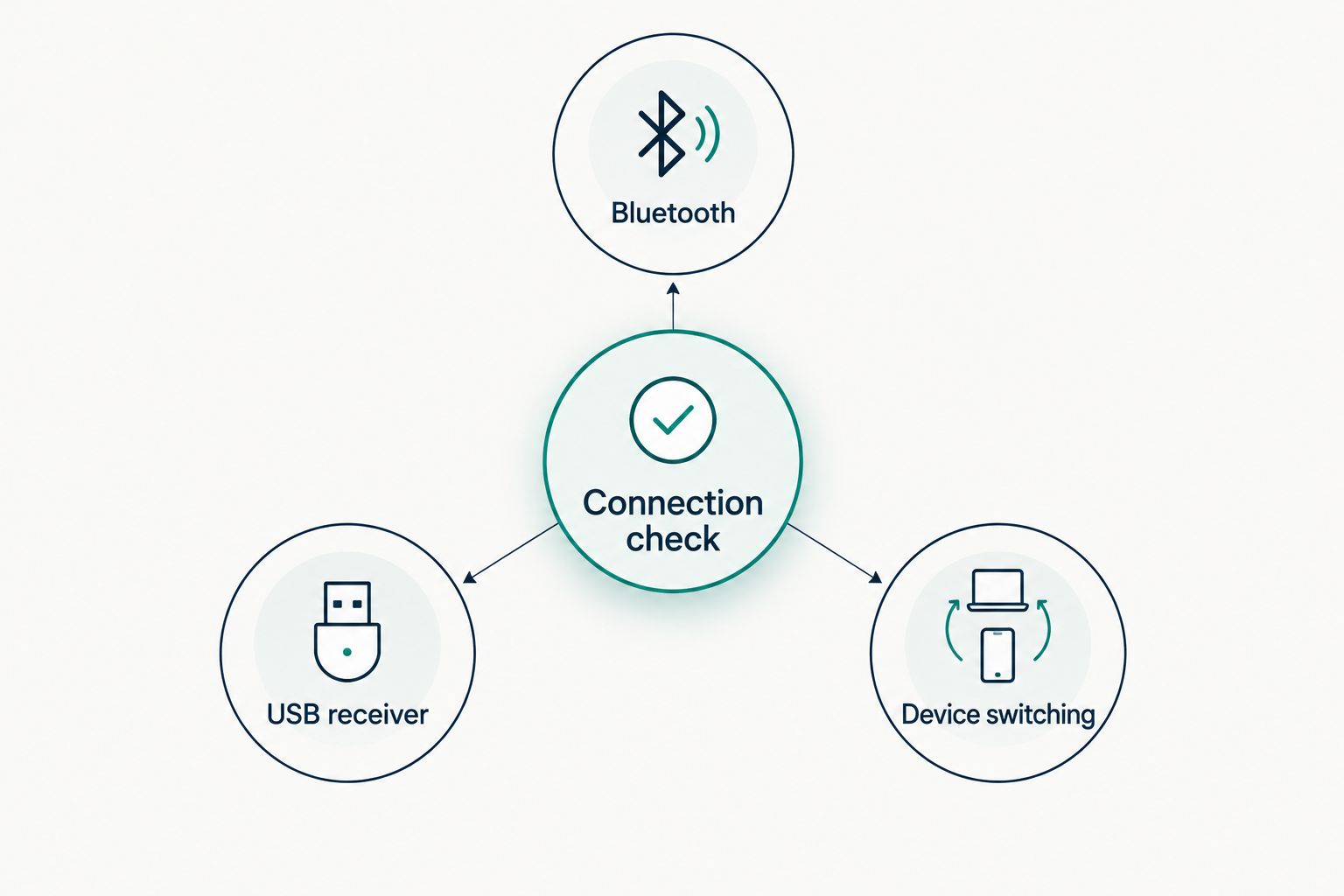
Check the connection before you choose
For a 2026 laptop setup, the connection check comes before the feature list. A receiver that does not fit your laptop adds an adapter to an otherwise simple purchase.
- Bluetooth: Confirm that your laptop supports Bluetooth and that the mouse supports your operating system.
- USB receiver: Check the receiver’s plug against the ports on your laptop. USB-A is the larger rectangular connection; USB-C is smaller and oval.
- Device switching: Look for explicit switching support. Having Bluetooth and a receiver does not automatically mean easy switching between computers.
Also check what comes in the box. A mouse that supports a receiver does not necessarily include one, and a charging cable is not proof that the mouse works as a wired mouse.
How these picks are ranked
This 2026 shortlist prioritizes everyday fit, connection choices, portability and useful controls. The Signature M650 takes the default slot because it offers connection and size choices without making advanced controls the main reason to buy.
The other picks solve different needs. No single shape wins for every hand, and no battery-life or performance test results are claimed here.
Which wireless mouse should you choose?
Choose the Logitech Signature M650 unless you have a specific reason to choose another shape or feature. That is Thestoretosee’s practical verdict for wireless mice for laptops in 2026.
- Travel often? Choose the Logitech Pebble Mouse 2 M350s.
- Prefer an upright grip? Consider the Logitech Lift.
- Scroll through long documents? Choose the Logitech MX Anywhere 3S.
- Want basic Bluetooth controls? Choose the Logitech M240 Silent.
Keep the shopping decision simple: match the connection, check the hand fit, then compare the exact version’s included accessories.
FAQ
What’s the best wireless mouse for everyday laptop use?
The Logitech Signature M650 is the default pick for everyday laptop use in this guide. Bluetooth and USB receiver connections, along with size choices, make it a practical starting point.
Is Bluetooth better than a USB receiver for a laptop mouse?
Bluetooth is better when you want to keep USB ports free. A receiver is another connection option, but its plug must fit your laptop or an adapter you already use.
What’s the best wireless mouse for a laptop bag?
The Logitech Pebble Mouse 2 M350s is the travel pick because of its flat shape. The trade-off is less palm support than a fuller mouse provides.
Can one wireless mouse work with several devices?
Yes, a mouse with multi-device pairing and switching can work across compatible devices. The Logitech Pebble Mouse 2 M350s and MX Anywhere 3S each support pairing with up to 3 devices.
Is an upright mouse better for wrist pain?
An upright mouse is not a guaranteed solution for wrist pain. The Logitech Lift offers a different grip, but comfort depends on your hand, desk setup and how you use it.
Do wireless mice work with every laptop?
No, compatibility needs checking for the exact mouse and laptop. Confirm the operating system, Bluetooth support or receiver connection before buying.
Should I choose a rechargeable mouse or replaceable batteries?
Choose rechargeable power if you prefer charging over keeping spare batteries. Choose replaceable batteries if you prefer swapping a battery rather than adding another charging task.
One last thing
A smaller mouse is easier to pack, not automatically easier to use. Before shopping, notice whether you rest your palm on your current mouse or mostly move it with your fingertips. That simple check helps you choose between a fuller everyday shape and a flatter travel design.
For your next setup, shop technology at Thestoretosee with a short list: the right computer, a suitable connection and accessories you will actually use.