
Start with 128GB of tablet storage for everyday use in 2026; choose 64GB for light, mostly online use or 256GB for more downloads and large apps. The advertised capacity is not all yours to fill: the operating system, built-in apps, and updates need space too.
- How much storage do I need on a tablet? Start with 128GB for everyday apps, photos, and downloads.
- Choose 64GB for mostly online use; choose 256GB when you keep more entertainment and files offline.
- Thestoretosee suits everyday tablet shoppers who want practical choices explained simply.
- Check internal storage separately from RAM, and confirm memory-card support before buying.
How much storage do I actually need on a tablet?
Choose storage around what you keep, not just what you watch. Streaming a show and downloading a season create different storage needs, even on the same tablet.
For everyday tablet shopping at Thestoretosee, use these capacity levels as a starting point—not a promise about how many apps or movies will fit.
| Internal storage | Best for | Main benefit | Main drawback |
|---|---|---|---|
| 64GB | Light use, browsing, reading, and streaming | Fits a simpler routine without buying unused capacity | Less room for large apps and offline downloads |
| 128GB | Everyday apps, photos, documents, and occasional downloads | A practical middle choice | Still needs attention if you keep lots of games or video |
| 256GB | Download-heavy use and larger local libraries | More room before you need to clear files | Extra capacity adds little value if your files stay online |
Why this matters
Storage holds your apps, photos, downloads, and saved files. Once it fills up, you need to remove something before adding more.
For a 2026 purchase, make the decision around your normal routine. A tablet used beside the sofa has different storage demands from one packed with entertainment before a trip.
- Mostly connected: Focus on enough space for your apps and essential files.
- Often offline: Include the videos, music, maps, and documents you want without internet access.
- Shared at home: Count everyone’s downloads and games, not just yours.
64GB: best for light, mostly online use
Choose 64GB when you keep little on the tablet itself. It suits browsing, email, reading, and streaming, provided your app collection and downloads stay modest.
The trade-off is housekeeping. System files use part of the capacity before you add your own content, leaving less flexibility as your library grows.
Before choosing 64GB, check that you are comfortable with these habits:
- Stream entertainment rather than keeping a large offline library.
- Remove downloads after watching or reading them.
- Keep only the games and apps you actually use.
- Store photo originals elsewhere when appropriate, with a separate backup.
Skip 64GB if you already struggle with storage on another device. A smaller capacity does not solve a growing-file problem.
128GB: best for a balanced everyday routine
Start with 128GB if your tablet will handle a mix of everyday tasks. It gives you more flexibility than 64GB without choosing capacity solely for an imagined future need.
It is a sensible starting recommendation for shopping, video calls, reading, photos, and occasional offline entertainment. It is not a guarantee that every game collection or media library will fit.
Use this quick check:
- You want several everyday apps installed together.
- You download entertainment occasionally, then remove it.
- You keep some photos and documents locally.
- You do not plan to copy your whole media collection onto the tablet.
Choose more than 128GB when your existing files already leave little room at that capacity. Your current storage screen is more useful than a generic shopping rule.
256GB: best for more offline content
Choose 256GB when keeping files locally is part of the plan. Think downloaded entertainment, a larger game collection, or photo and video files you want close at hand.
The benefit is room, not automatic speed. More storage does not by itself make a tablet’s processor faster or its screen better.
Thestoretosee’s G140L tablet with 256GB storage is one listing to check if that capacity matches your routine. Review the full device details as well; storage is only one part of choosing a suitable tablet.
- Choose 256GB: You keep downloads between trips or rotate through several large apps.
- Reconsider the extra capacity: You mainly browse, stream, and save files online.
- Check before buying: Confirm the selected version’s internal storage rather than relying on the largest number in the title.
Why tablet storage needs vary
Your habits matter more than the category label on the box. These are the main storage drivers to check:
- App collection: Installed apps take space even when you are not using them.
- Game downloads: Games can include additional downloaded content and updates.
- Offline entertainment: Saved films, shows, music, and maps occupy local storage.
- Photos and videos: Keeping original files locally builds a library on the device.
- System files: The operating system and updates need room alongside your content.
- Shared use: Multiple people can add separate apps, files, and downloads.
How do I check what I actually need?
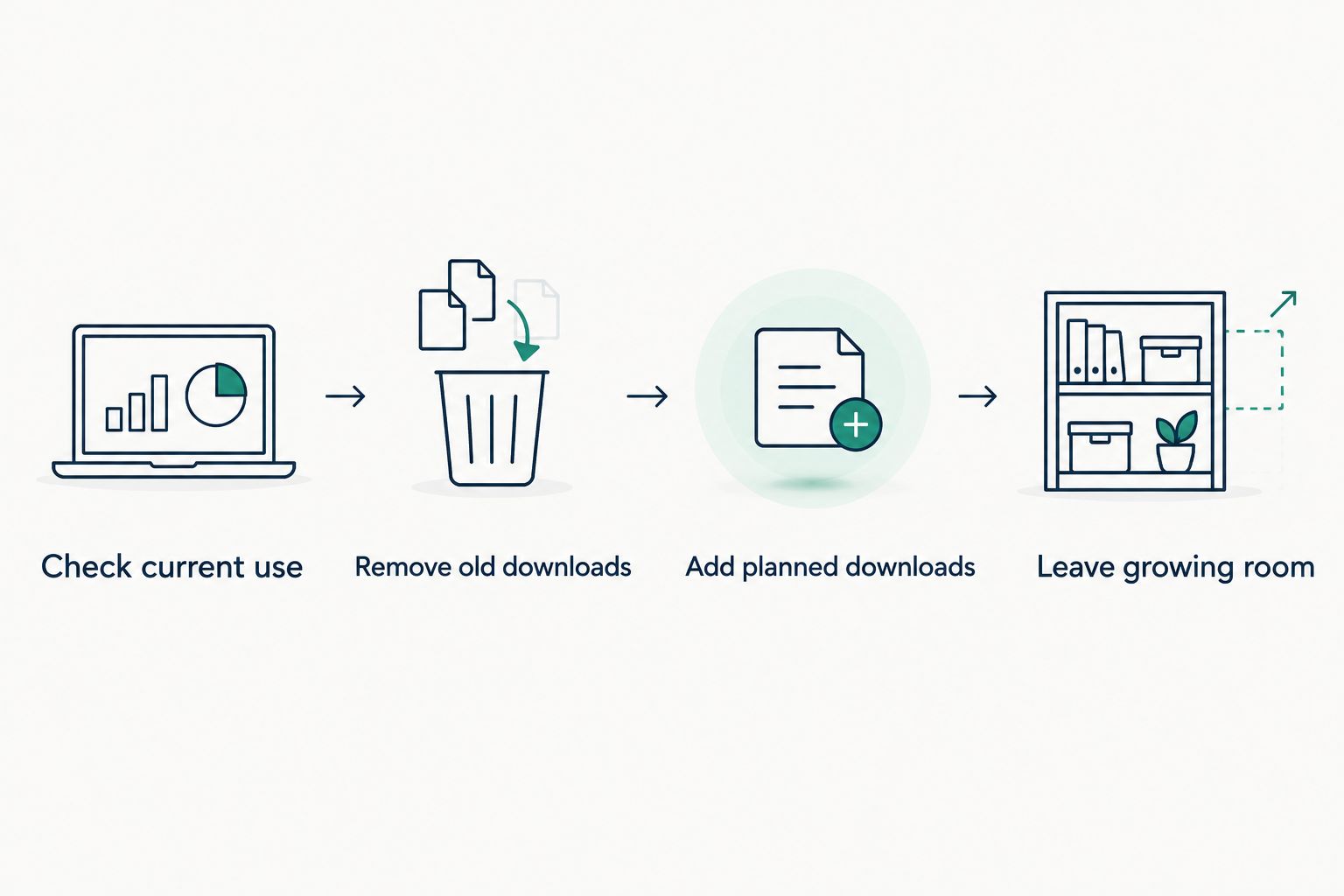
Before choosing a tablet in 2026, look at the storage breakdown on the device closest to how you plan to use it. On many devices, you will find it in Settings under Storage; menu names vary.
- Check current use. Look at used storage, not just the device’s advertised capacity.
- Remove old downloads. Separate files you still need from forgotten entertainment and unused apps.
- Add planned downloads. Include anything you want on the new tablet that is not on your current device.
- Leave growing room. Do not choose a capacity that your current content already nearly fills.
A phone is a useful reference, but not a perfect match. If your tablet will hold travel downloads while your phone does not, include those extra files in the decision.
Is 128GB enough for a tablet?
128GB is a practical starting choice for mixed everyday use. It suits a routine built around apps, documents, photos, and occasional downloads, rather than a large permanent offline library.
Check your current usage before buying. If your existing content already approaches that capacity, choose more room or change what you keep locally.
Is 256GB better than 128GB on a tablet?
256GB gives you more room than 128GB, but not automatically a better tablet. Choose the larger capacity when you need local files; compare the screen, software, and other device details separately.
Do not sacrifice a feature you use every day just to gain storage you will leave empty.
Can a memory card replace internal storage?
A memory card can add file space on a compatible tablet, but it does not universally replace internal storage. Card support, capacity limits, and app-storage options depend on the device and software.
Check compatibility before buying a card. Do not assume a tablet accepts one—or that every app can move onto it.
FAQ
How much storage do I need on a tablet in 2026?
Start with 128GB for mixed everyday use in 2026. Choose 64GB for light, mostly online use or 256GB when you keep more downloads and large apps locally.
Is 64GB enough if I mainly watch videos?
64GB can suit mostly streamed video with a modest app collection. Downloading videos for offline viewing needs additional local space, so check what you plan to keep.
Does more tablet storage make it faster?
More storage capacity does not automatically make a tablet faster. Storage determines how much you can keep; the processor, RAM, and software also affect how the device runs.
Is RAM the same as tablet storage?
RAM is working memory for active tasks; storage holds installed apps and saved files. Compare the internal-storage figure separately from any RAM or virtual-memory figure.
Does cloud storage mean I can buy a smaller tablet?
Cloud storage can reduce the files you keep locally, but it does not remove the need for internal storage. Apps, system files, and anything downloaded for offline access still need space on the tablet.
Will all the advertised tablet storage be available?
No, some advertised capacity is used by system software and other device files. Check usable space on the device rather than assuming the full headline capacity is free.
What should I check before buying a tablet in 2026?
For a 2026 purchase, check the selected version’s internal storage, your current storage use, and any memory-card support. At Thestoretosee, compare those details with your everyday needs rather than choosing by the largest number alone.
One last thing
More storage is not a backup. A larger tablet holds more files, but it does not protect your only copy if the device is lost or damaged.
Keep a separate copy of photos and documents you cannot replace. Then choose capacity for convenience—not for safekeeping.