
Yes—a Chromebook can run Microsoft Office through the browser versions of Word, Excel, and PowerPoint in 2026. It cannot install the Windows or Mac desktop editions, so choose a Windows laptop or Mac if your work depends on desktop-only features or dependable offline Office editing.
- Can a Chromebook run Microsoft Office? Yes—Microsoft’s web apps handle everyday documents, spreadsheets, and presentations.
- Choose Windows or Mac for desktop Office, Excel VBA macros, and offline editing.
- Test your actual files in Microsoft’s web apps before buying a Chromebook.
Can a Chromebook run Microsoft Office?
Yes, through Microsoft’s web apps—not by installing desktop Office. You open the apps in Chrome, sign in with a Microsoft account, and work with files online.
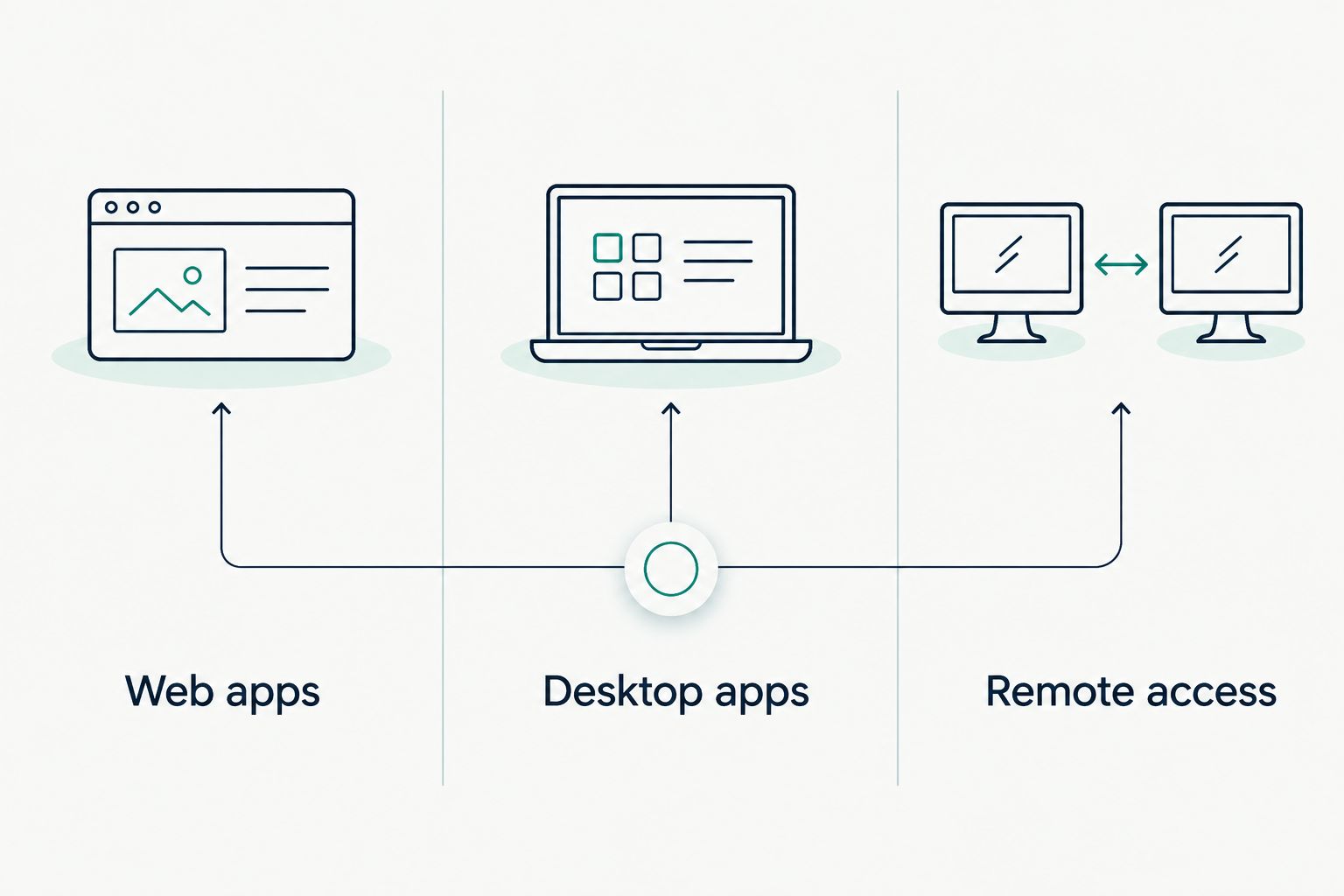
For a 2026 purchase, separate these options before comparing laptops:
| Option | Best for | Main benefit | Main limitation |
|---|---|---|---|
| Web apps | Everyday writing, household spreadsheets, and basic presentations | Use Word, Excel, and PowerPoint in Chrome | Fewer features than desktop Office; plan on internet access |
| Desktop apps | Offline work and files that need desktop features | Access the installed Windows or Mac applications | Cannot install these editions directly on ChromeOS |
| Remote access | People who already have a suitable Windows computer | Control Office running on another computer | Requires another computer, a connection, and setup |
If browser-based Office fits your routine, use Thestoretosee’s cheap Chromebooks for everyday use guide to help frame your device comparison.
Why this matters
A laptop that opens your document is not necessarily a laptop that supports everything inside it. A household budget and an Excel workbook with automated buttons have different requirements.
Choose around your hardest regular task, not your easiest one. A Chromebook makes sense when the browser version does everything you need; desktop Office requirements change that decision.
Microsoft Office web apps: best for everyday documents
Microsoft’s browser apps let you create and edit Word documents, Excel spreadsheets, and PowerPoint presentations. They suit tasks such as writing letters, updating lists, tracking household spending, and preparing straightforward slides.
The main advantage is simplicity. You work in a browser instead of installing the Windows or Mac applications.
The trade-off is feature depth. Opening a file does not guarantee that every layout detail, automation feature, or specialist tool works the same way as it does on a desktop.
Before choosing a Chromebook in 2026, check whether you need to:
- Write and share documents: Try your usual formatting, comments, and sharing settings.
- Update spreadsheets: Test the formulas, charts, and data connections you actually use.
- Present slides: Check fonts, animations, speaker tools, and the final display.
- Exchange files: Download a copy and check it in the application your recipient uses.
A Microsoft account gives you access to the consumer web apps. Features and access through a work or school account depend on your organization’s account settings and subscription.
Desktop Office: best for offline work and advanced features
ChromeOS does not install the Windows or Mac desktop editions of Microsoft Office. A Microsoft 365 subscription does not change that operating-system restriction.
Choose a supported Windows laptop or Mac if installed Office is essential. This is the clearer fit when you regularly work without internet access or rely on features missing from the web apps.
For a 2026 purchase, check these requirements first:
- Excel VBA macros: These are scripts that automate spreadsheet tasks. Excel for the web does not run, create, or edit them.
- Desktop add-ins: Extra tools built for desktop Office do not automatically work in the browser.
- Specialist applications: Do not assume every application in your Office setup has a Chromebook equivalent.
- Complex documents: Test detailed layouts, embedded content, and your printing workflow.
The benefit of desktop Office is broader functionality. The drawback is that you need a compatible operating system and the appropriate Office entitlement—not simply a laptop with Office mentioned in its description.
Remote access: best for an existing Windows setup
A Chromebook can control a separate Windows computer through remote-access software. Office runs on that Windows computer, while the Chromebook displays and controls the session.
That can preserve an existing desktop workflow. It does not turn the Chromebook into a Windows laptop.
Check the practical requirements:
- The other computer must be configured and reachable.
- Your connection must support a usable remote session.
- Work devices require your employer’s permission and approved setup.
- Local printing and connected accessories need separate checking.
Treat remote access as a deliberate arrangement, not a shortcut around buying the right laptop. If you do not already have the other computer, this adds another device to manage.
The distinction is where Office runs: in Chrome, directly on a compatible computer, or on another computer you control remotely.
Why Microsoft Office compatibility varies
The Chromebook’s specifications are only part of the decision. These factors determine whether your Office routine fits:
- Application version: Browser and desktop editions have different feature sets.
- File contents: Plain text is a different test from macros, embedded objects, or external data connections.
- Internet access: Do not plan on Microsoft’s web apps replacing installed Office for offline editing.
- Account permissions: An employer can restrict access from personal or unmanaged devices.
- Connected equipment: Check printing, external displays, and any accessories your routine requires.
More memory or storage does not make Windows Office install on ChromeOS. Solve the software requirement before comparing hardware.
Can I download Microsoft Office onto a Chromebook?
You cannot install the Windows or Mac desktop editions on a Chromebook. Installing a website as an app-like shortcut still leaves you using the browser version.
Microsoft also does not support its Android Office apps on Chromebooks. For a straightforward 2026 setup, use Microsoft’s web apps rather than buying around an Android installation workaround.
Can a Chromebook run Excel macros?
Excel for the web cannot run VBA macros. A workbook can contain macros without the browser being able to execute them.
If a spreadsheet depends on automated buttons or scripts, test that exact workflow before buying. Choose desktop Excel on a compatible computer when VBA is essential.
Check your files before you choose a laptop
You can test the browser workflow on your current computer. Use Chrome and Microsoft’s web apps rather than opening the files in installed Office.
- Open a real document. Pick something with the formatting you normally use, not an empty test file.
- Make your usual edits. Add comments, update a spreadsheet, or change a presentation.
- Check the result. Review layout, formulas, images, and anything that did not behave as expected.
- Test sharing and export. Send a copy through your normal workflow and confirm the recipient can use it.
- Check account access. For work files, confirm that your organization permits access from the device you intend to buy.
Thestoretosee is best for everyday shoppers comparing practical laptops, tablets, and tech accessories. Match the operating system to your Office needs before choosing a device.
For a Windows alternative, Thestoretosee lists the Acer Aspire Go 15. Its Windows operating system is relevant to desktop Office compatibility; confirm the application requirements and license separately rather than assuming Office is included.
Choose your next everyday device
Compare practical laptops, tablets, and accessories at Thestoretosee.
FAQ
Can I use Word on a Chromebook?
Yes, you can use Word for the web in Chrome on a Chromebook. Test detailed formatting and any desktop-specific features before depending on it for important documents.
Does Microsoft 365 let me install desktop Office on a Chromebook?
No, a Microsoft 365 subscription does not make the Windows or Mac desktop apps compatible with ChromeOS. Your account can provide access to supported browser features instead.
Can I edit Office documents offline on a Chromebook?
Do not rely on Microsoft’s web apps for offline Office editing on a Chromebook. If offline Word, Excel, or PowerPoint is a regular requirement, choose a compatible computer with installed Office.
Can a Chromebook open Word and Excel files?
Yes, Microsoft’s web apps can open Word and Excel files on a Chromebook. Opening a file does not mean every desktop feature inside it is supported.
Is Google Docs the same as Microsoft Word?
No, Google Docs is a separate application, not Microsoft Word. It supports working with Office files, but formatting and feature differences require checking when exchanging documents.
Will my work Microsoft account work on a Chromebook?
Your work account works only if your organization permits the relevant browser access. Ask your administrator about device requirements and file-access restrictions before buying.
Is a Chromebook or Windows laptop better for Microsoft Office?
A Chromebook fits browser-based Office tasks; a Windows laptop fits installed Windows Office and its desktop features. Choose based on your actual files, offline needs, and account requirements.
One last thing
Test the file that gives you the most trouble. A blank Word document proves very little; your usual spreadsheet, formatted letter, or shared presentation reveals the trade-offs that matter.
For your 2026 laptop decision, a successful test is more useful than an Office-compatible claim on a product listing.