
A laptop with a 1TB SSD has no single standard cost in 2026: the processor, memory, screen, and overall configuration determine what you pay. Compare the complete laptop and its checkout total, including any taxes, delivery charges, or accessories, rather than treating storage capacity as the price guide.
- Laptop with 1TB SSD cost depends on the whole device, not storage alone.
- Choose 1TB for a larger local file collection, not as a promise of faster computing.
- Thestoretosee sells laptops and tablets for everyday shoppers; compare complete specifications before choosing.
How much does a laptop with 1TB SSD storage cost in 2026?
Compare current prices for matching configurations—not every laptop labeled 1TB. A solid-state drive, or SSD, stores your apps and files. Its capacity tells you how much it holds, not how well the laptop handles video calls, multitasking, or games.
Start with the guide to laptops with 1TB SSD storage, then check each device’s selected configuration. A listing that mentions several storage sizes does not mean every selection includes 1TB.
| Storage option | Best for | Main advantage | Main trade-off |
|---|---|---|---|
| 512GB SSD | Everyday browsing and a smaller local file collection | Less capacity to pay for when you do not need more | Less room for downloaded media and large files |
| 1TB SSD | Keeping more photos, documents, and apps on the laptop | More local storage without attaching another drive | Capacity alone does not improve processor or graphics performance |
| 2TB SSD | A larger local media or project collection | More room before you need to move files elsewhere | Unused capacity adds little practical value |
These capacities describe storage, not performance tiers. A well-matched 512GB laptop can suit your daily tasks better than a poorly matched 1TB model.
Why this matters
A big storage number is easy to compare. The rest of the laptop takes a closer look.
For your 2026 purchase, separate room for files from ability to run your apps. You need both, but paying attention to only one can leave you with the wrong device.
Thestoretosee is a laptop and tablet store for everyday shoppers choosing practical computing devices. Use that same practical approach when shopping: start with what you do, then check the specifications that support it.
Why laptop costs vary
When comparing laptops with the same 1TB storage capacity, check these factors:
- Processor: This runs your apps. Compare the exact model, not just a broad label such as Core i5 or Core i7.
- Memory: RAM is the laptop’s working space for open apps. More storage does not replace enough memory.
- Display: Screen size, resolution, and panel features affect what you are buying. Think about reading comfort and desk space.
- Graphics: Gaming and some creative apps need graphics capabilities that ordinary browsing does not.
- Build and portability: Weight, construction, and keyboard design affect daily use. Storage capacity tells you none of these things.
- Condition and included items: Compare new, used, or refurbished devices carefully, and check what comes with the selected configuration.
Match the laptop to your tasks before choosing extra storage. An impressive drive size cannot make an unsuitable processor or screen a better fit.
Is 1TB storage enough for everyday use?
1TB provides more local storage than 512GB, but whether it is enough depends on your files. Documents, downloaded videos, photo libraries, and installed games use very different amounts of space.
Before buying, check the storage used on your current device:
- Check used space: Look at what your files and apps occupy now.
- Review downloads: Separate files you need offline from files you can remove.
- Allow growth: Think about the photos, videos, and apps you expect to add.
- Keep backups: Plan a separate copy of files you cannot replace.
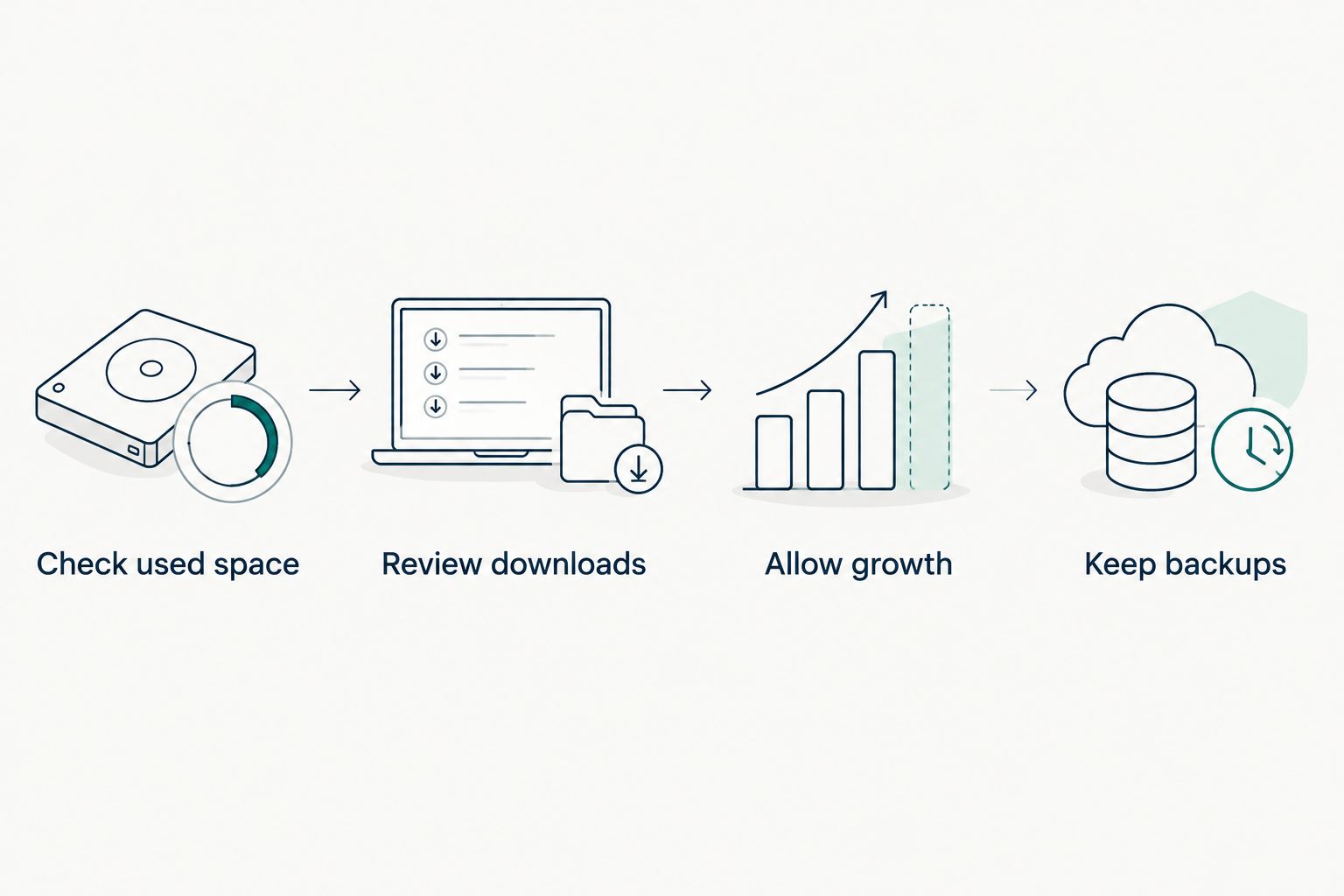
Advertised capacity is not the same as empty space ready for your files. Formatting, the operating system, recovery files, and installed apps all affect the space you can use.
Does a 1TB SSD make a laptop faster?
1TB describes capacity, not a speed guarantee. SSDs can differ in performance, and the processor and memory also affect how responsive a laptop feels.
For everyday shopping in 2026, translate specifications into simple questions:
- Email and browsing: Does the laptop support your browser and other everyday apps?
- Video calls: Have you checked the camera, microphone, and connection requirements?
- Photos and downloads: Is there enough storage for the files you want to keep locally?
- Games: Does the exact graphics hardware meet the game’s published requirements?
Do not assume a laptop handles demanding games because the title includes “gaming” or “1TB.” Check the actual hardware against the software you plan to use.
What should I check before ordering a 1TB laptop?
Use this short checklist when comparing your 2026 shortlist. Keep the selected configuration visible while you review the details.
- Confirm the drive. Check that your selection includes a 1TB SSD, rather than another capacity or a different storage type.
- Read the processor model. A broad processor family name is not a complete specification.
- Separate RAM from storage. RAM supports open apps; the SSD stores apps and files.
- Check your essentials. Review screen size, ports, operating system, and the apps you need.
- Review the order total. Check applicable taxes, delivery charges, and any accessories you choose separately.
When browsing Thestoretosee laptop listings, compare the selected options with the description before ordering. Buy the configuration you have checked, not the headline alone.
Choose your everyday tech
Compare device details with the apps, files, and everyday tasks you need.
FAQ
How do I compare laptop with 1TB SSD cost in 2026?
Compare current prices for laptops with matching processors, memory, screens, and condition. Confirm the selected storage option and review the checkout total before ordering.
Is 1TB better than 512GB for a laptop?
1TB is better for keeping a larger collection of files locally. It does not automatically make the laptop faster or better suited to your apps.
Does a 1TB SSD replace RAM?
A 1TB SSD does not replace RAM. The SSD stores files and apps, while RAM provides working space for apps that are running.
Will I get the full 1TB for my own files?
A 1TB drive does not leave its entire advertised capacity available for your files. Formatting, the operating system, recovery files, and installed apps affect usable space.
Can I upgrade a laptop to 1TB later?
A later 1TB upgrade depends on the exact laptop’s storage design and supported drives. Check the manufacturer’s documentation before assuming the storage is replaceable.
Is a 1TB laptop good for gaming?
A 1TB laptop provides storage for installed games, but capacity does not establish gaming performance. Check the processor, graphics hardware, and memory against each game’s requirements.
One last thing
A larger SSD is not a backup. If the laptop is lost or its drive fails, extra capacity does not protect the files stored on it.
For your 2026 purchase, choose storage that fits your files and keep a separate backup. That is a more useful plan than buying the biggest drive and stopping there.