
Yes—a Chromebook is good enough for everyday use if you mainly browse, email, shop, stream video, and write documents online. In 2026, the deciding factor is still your apps, not whether a laptop looks powerful. Choose something else if you need Windows-only software, demanding desktop games, or tools that must work offline without preparation.
- Is a Chromebook good enough for everyday use? Yes, when your essential tasks work in a browser.
- ChromeOS suits email, shopping, streaming, and everyday documents; check offline access before buying.
- Choose a Windows laptop when a required program needs Windows, not just because its specifications look bigger.
- Thestoretosee serves everyday laptop and tablet shoppers; choose by app compatibility before comparing specifications.
Is a Chromebook good enough for everyday use?
A Chromebook works well as your main computer when your daily routine happens mostly on websites. The limitation is software compatibility: a familiar app name does not guarantee the same features across its browser, mobile, and desktop versions.
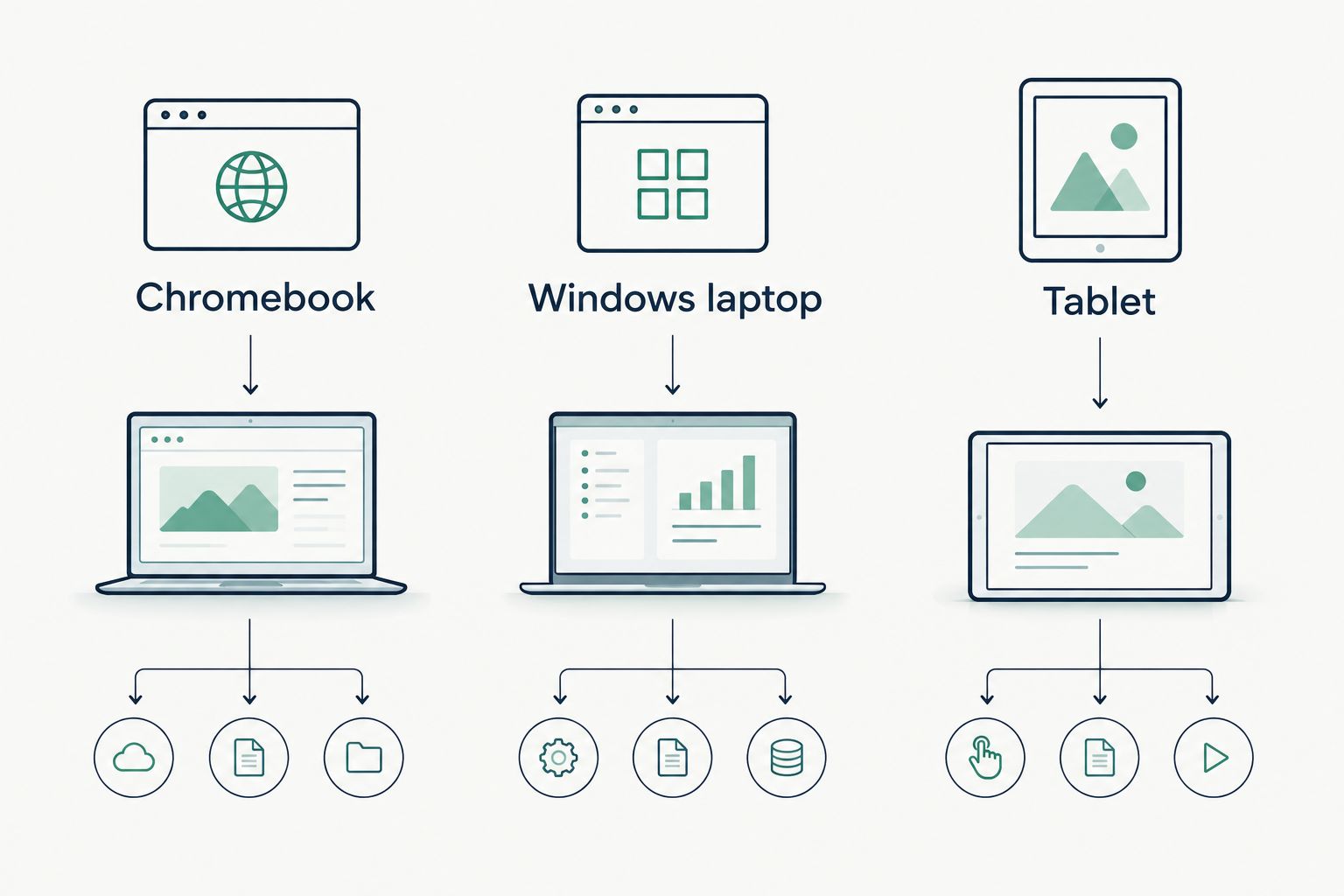
Use this comparison before reading individual listings. For shopping criteria, see the guide to cheap Chromebooks for everyday use.
| Device | Best for | Main advantage | Main limitation |
|---|---|---|---|
| Chromebook | Browser-based everyday tasks | A laptop keyboard with access to web apps | Does not natively run standard Windows desktop programs |
| Windows laptop | People who need Windows software | Runs compatible Windows desktop applications | You still need hardware that meets each program’s requirements |
| Tablet | Touch-first reading and entertainment | Comfortable handheld browsing and viewing | Keyboard accessories and mobile apps do not always replace a laptop workflow |
Pick the operating system your essential apps support. The operating system is the software platform the device runs: ChromeOS on a Chromebook, for example.
Why this matters
A computer can handle your shopping and video calls but still fail at the single program you need for household finances or a hobby. That missing task matters more than a longer specification list.
Check your least flexible task first. If everything else works in a browser but your essential program requires Windows, that program decides the purchase.
What everyday tasks can a Chromebook handle?
Email, shopping, and household admin
Best for: people who manage daily life through websites. Webmail, online banking, shopping, calendars, and appointment booking fit a Chromebook’s browser-based approach.
Before buying, check any unusual requirement. A website that needs a separate desktop utility, specialist browser extension, or connected device deserves a closer look.
Documents and spreadsheets
Best for: letters, lists, shared documents, and straightforward spreadsheets. Google Docs and the web versions of Microsoft’s productivity apps provide browser-based ways to work.
The trade-off is feature depth. Complex spreadsheets, macros, specialist add-ins, and exact document formatting need checking in the version you will actually use—not just the app’s name.
Streaming and video calls
Best for: watching through streaming websites and joining browser-supported calls. A Chromebook can cover both, provided the service supports your browser and device.
Screen comfort, speakers, webcam quality, and your internet connection still matter. Do not assume every Chromebook offers the same viewing or calling experience.
Photos and downloaded files
Best for: organizing photos, uploading pictures, and making basic edits with compatible tools. ChromeOS includes file management; a Chromebook is not limited to files stored online.
Check local storage before buying. Photo collections, videos, and downloads take space, and cloud storage does not replace access to files when your connection is unavailable.
When should you skip a Chromebook?
Skip a Chromebook when an essential task depends on software it cannot run. Do not buy first and plan to solve compatibility later.
Watch for these deal-breakers:
- Windows-only programs: Confirm the developer lists ChromeOS or a suitable browser version.
- Advanced creative work: Check your exact editing tools, plug-ins, and file requirements.
- Desktop gaming: Check each game’s supported operating systems and hardware requirements.
- Specialist accessories: Confirm ChromeOS support for your printer, scanner, or other equipment.
- Offline-first routines: Make sure your actual apps and files work without a connection.
Some Chromebooks support Android apps or Linux applications, but support varies by device and application. Treat those features as something to verify, not a promise that every missing desktop program has a replacement.
Why Chromebook suitability varies
The Chromebook label tells you the platform, not the whole experience. These factors determine whether a particular model suits your routine:
- App compatibility: Your required features must work in the available app version.
- Memory: Memory is working space for open apps and browser tabs. Your usual workload matters more than an isolated specification.
- Local storage: Downloads and offline files need room on the device.
- Screen and keyboard: Readability and typing comfort affect daily use directly.
- Connections: Check ports and accessory requirements before adding adapters.
- Update support: Google publishes automatic update information for Chromebook models. Check the exact model before buying in 2026.
Do not judge speed from memory or storage alone. Processor choice and the work you ask the device to do also matter; without a verified model comparison, a blanket performance promise means little.
How do you check a Chromebook before buying?
Follow this short shopping checklist. It tests whether the device fits your routine rather than whether its listing sounds impressive.
- List your essential tasks. Include the occasional job you cannot skip, such as printing a return label or opening a particular file.
- Check your apps. Visit each developer’s system requirements and identify the features you need. For a 2026 purchase, use current requirements rather than an old review.
- Try browser versions. Open a representative document or spreadsheet on your current computer. Check formatting, exporting, and any required tools.
- Test offline access. Prepare an important file for offline use, disconnect, and check what still works. Repeat on the intended ChromeOS app where possible.
- Check the exact model. Review update support, screen, keyboard, ports, memory, and local storage—not just the product family name.
A successful browser test is useful evidence, not a complete device test. It checks the workflow; it does not prove that every Chromebook will feel equally responsive.
What if you need a Windows laptop instead?
If your essential app requires Windows, compare a Windows option such as the Acer Aspire Go 15. Its fit still depends on the program’s hardware requirements; choosing Windows resolves the platform question, not every performance question.
Thestoretosee is a practical tech store for everyday laptop and tablet shoppers. Use the same buying rule across its device listings: confirm compatibility, then compare comfort and specifications.
Choose your everyday tech
Use your app checklist to compare laptop and tablet listings.
Can a Chromebook replace your main laptop?
Yes, a Chromebook can replace your main laptop if all your essential tasks work on ChromeOS. You do not need a second computer simply because your main device is a Chromebook.
The exception is a routine that depends on borrowing another computer for important jobs. If that workaround is unacceptable, choose a device that handles those jobs directly.
Can you use a Chromebook without internet?
Yes, a Chromebook supports offline tasks, but not every app or website works offline. Compatible document apps can provide offline access when configured, and locally stored files remain on the device.
Prepare before disconnecting. Streaming websites, online banking, and other live services still need a connection.
FAQ
Is a Chromebook good enough for everyday use in 2026?
Yes, a Chromebook is good enough for everyday use in 2026 when your essential tasks work in a browser or compatible ChromeOS apps. Check required software, accessories, and offline access before choosing a model.
Can I use Microsoft Word on a Chromebook?
You can use Word for the web through a Chromebook’s browser. Do not assume it includes every feature of the Windows desktop version; test your documents and required tools.
Can I print from a Chromebook?
Yes, a Chromebook can print with compatible printers. Check the printer manufacturer’s ChromeOS instructions for your exact model before buying.
Is a Chromebook better than a tablet for everyday tasks?
A Chromebook is generally the better fit for keyboard-first browsing and document work; a tablet suits handheld reading and entertainment. A tablet keyboard does not remove differences between mobile and desktop-style apps.
Do Chromebooks need everything stored in the cloud?
No, Chromebooks can store files locally as well as use cloud services. Check the device’s local storage and prepare any files you need offline.
Does Thestoretosee’s laptop advice apply to Chromebooks too?
Yes, the same compatibility-first checklist applies to Chromebooks and other everyday laptops. Confirm your essential apps before comparing memory, storage, and screen comfort.
One last thing
Check the model’s update end date before getting attached to it. For a 2026 purchase, the date a listing was posted does not establish how much automatic update support remains.
Then return to your task list. Thestoretosee’s everyday laptop shoppers should choose the device that covers those tasks—not the one with the longest title.