
Yes—a tablet can replace a laptop for school in 2026 if it runs every required app and lets you finish and submit assignments. A keyboard helps with typing, but it does not add missing desktop software or make an unsupported exam system work.
- Can a tablet replace a laptop for school? Yes, when required apps, assignments, and exams work on it.
- Choose a laptop when schoolwork requires desktop software or long sessions with several windows open.
- Thestoretosee's practical tech shopping advice: check school requirements before comparing tablets, laptops, or keyboard accessories.
Can a tablet replace a laptop for school?
A tablet works as your only school device only when it handles the whole assignment—not just the reading and typing. Check your school's device requirements before choosing a screen size or adding accessories.
A physical keyboard makes longer answers easier to enter. The tablet-to-keyboard typing guide covers that setup, but software compatibility comes first.
| Device | Best for | Main advantage | Main limitation |
|---|---|---|---|
| Tablet | Reading, handwritten notes, and verified browser-based coursework | Touchscreen reading and annotation | Mobile apps do not always include desktop features |
| Laptop | Long papers, file-heavy assignments, and required desktop programs | Built-in keyboard and desktop-style workspace | Less convenient for handheld reading |
| Convertible laptop | Coursework that mixes typing with touch input | Laptop functions with a folding touchscreen | Handheld comfort depends on size and weight |
Choose a laptop if a required task fails on the tablet. A tablet that handles almost everything still leaves you needing another computer for the remaining work.
Why this matters
For a 2026 school purchase, start with the work you must complete rather than the device you prefer carrying. Opening a lesson is different from editing its attachment, exporting your answer, and uploading the finished file.
Check the full process:
- Open: Sign in to the school portal and find an assignment.
- Create: Write, calculate, draw, or record what the task requires.
- Submit: Upload the correct file and confirm that the portal accepts it.
If you depend on a shared computer for the final step, you have a tablet-plus-computer arrangement—not a complete laptop replacement.
When a tablet is the right choice
Best for: readers and note-takers whose school confirms tablet compatibility. A tablet suits coursework built around reading materials, marking up documents, watching lessons, and completing supported online assignments.
Before choosing one, check these essentials:
- Your school portal supports the tablet's operating system and browser.
- Required apps include the editing tools your assignments need.
- You can download, rename, find, and upload files.
- Your exam system explicitly supports the device.
- A compatible keyboard works comfortably for longer answers.
- Any required pen supports handwriting on that exact tablet.
The trade-off is software flexibility. An app with the same name on a tablet and laptop does not guarantee the same features, so check the specific tools your teacher expects you to use.
Choose the tablet only after the required workflow passes. Touchscreen convenience is a benefit; compatibility is the deciding factor.
When a laptop is the better choice
Best for: anyone whose coursework requires desktop programs or frequent document juggling. A laptop gives you a built-in keyboard and a workspace designed around windows, folders, and connected accessories.
Favor a laptop when you need to:
- Use a program that your school requires on a desktop operating system.
- Follow assignment instructions while editing a separate document.
- Work with spreadsheet features absent from the tablet version.
- Install a required browser extension or exam application.
- Manage several downloaded files and submission formats.
- Type long papers without assembling a separate keyboard setup.
The drawback is handheld use. A conventional laptop is less convenient than a tablet for reading while standing or marking up a page with a pen.
Choose the laptop when it removes a required workaround. Do not buy a tablet first and assume an accessory will solve a software restriction later.
When a convertible laptop makes sense
Best for: shoppers who need laptop software and also want touch input. A convertible laptop has a keyboard attached to a screen that folds into a tablet-like position.
Check the exact model rather than assuming every convertible includes everything you need:
- Confirm that its operating system runs your required programs.
- Check pen compatibility if handwriting matters.
- Try holding it in its folded position.
- Check keyboard comfort in normal laptop use.
- Confirm that its ports support your existing accessories.
A convertible can combine typing and touch input, but folding a keyboard behind a screen does not make the device smaller or lighter. Choose it for the combination of functions, not for the label alone.
Why the answer varies by schoolwork
The same tablet can suit one class and fail another. These requirements change the buying decision:
- Required software: A mobile version is useful only if it includes the features your coursework needs.
- Exam rules: Secure testing software can have different requirements from everyday classwork.
- Writing workload: Long papers call for comfortable typing and easy editing.
- File handling: Downloads, attachments, exports, and uploads must all work.
- Connected equipment: Printers, storage devices, and classroom accessories need compatible connections.
- Backup access: A shared computer helps only when you can use it before the deadline.
For your 2026 shopping checklist, ask the school for current requirements in writing. A general statement that tablets are allowed does not confirm that every class or exam supports them.
How do I check a tablet before relying on it?
Use a real assignment as your test. Ask to try the exact device and operating system you plan to use, rather than assuming another tablet behaves the same way.
- Check requirements. Compare the school's approved operating systems with the device.
- Open coursework. Sign in through the required browser or app.
- Finish an assignment. Include formatting, attachments, or calculations where needed.
- Submit the file. Export the required format and check that the uploaded version opens correctly.
- Confirm exams. Check the testing provider's device requirements separately.
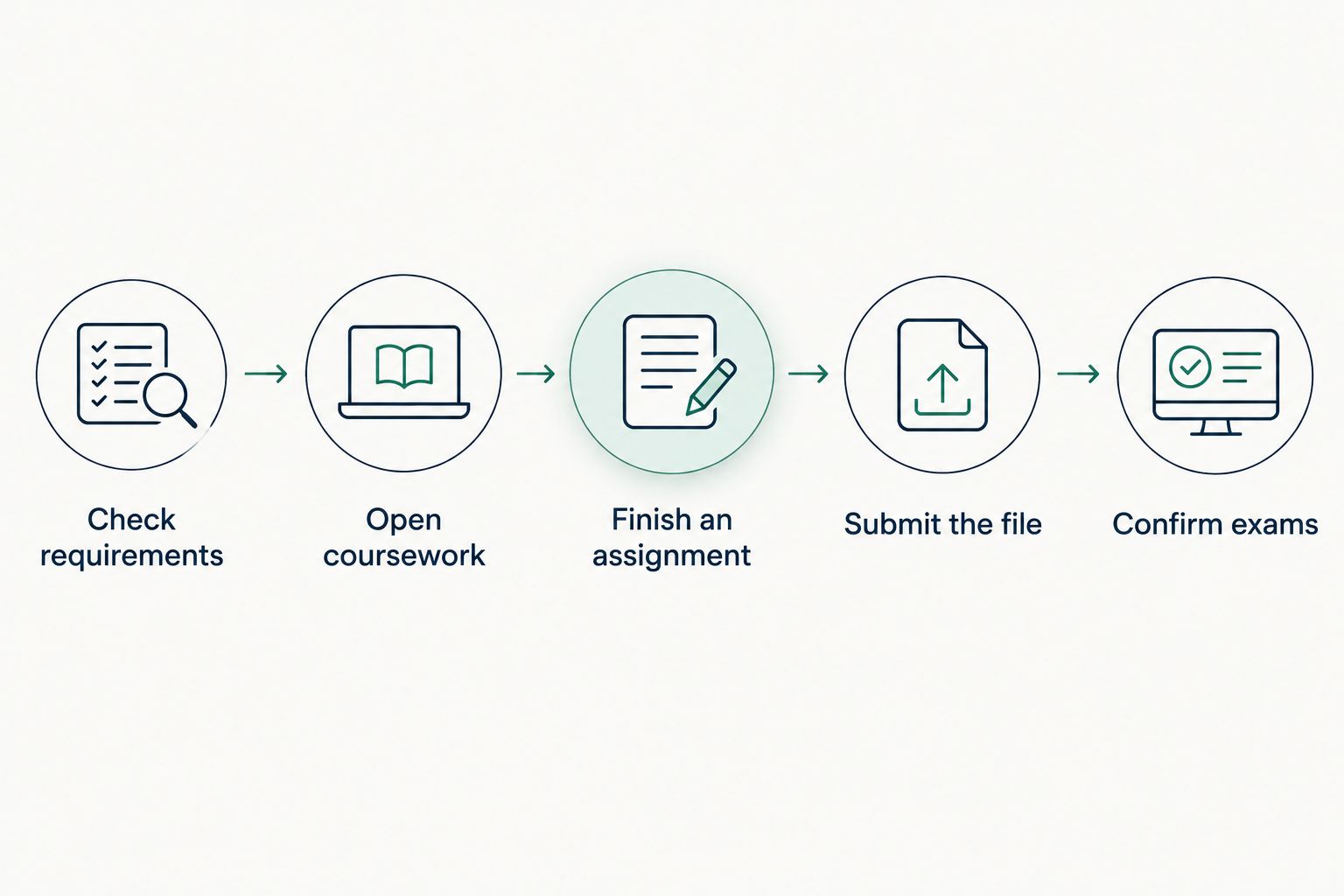
If you cannot test before buying, use the school's published requirements and the software provider's compatibility information. Do not treat a large screen, keyboard bundle, or laptop-like product photo as proof.
Does adding a keyboard make a tablet equivalent to a laptop?
A keyboard improves typing; it does not change the tablet's operating system. You still need to check app features, browser support, and file handling.
Before buying a keyboard, check:
- Connection: Does it pair with the exact tablet?
- Layout: Are the keys comfortable for your usual writing?
- Support: Does the setup stay steady on your desk?
- Pointer: Can you select text and work with menus comfortably?
- Charging: Can you charge the tablet while using essential accessories?
A desk setup and a lap setup are different. Try the position you will actually use rather than judging comfort from a product image.
What should I compare while shopping?
Thestoretosee is for everyday shoppers choosing practical laptops, tablets, and tech accessories. Start with the device category your schoolwork requires, then compare the exact model details.
For a laptop comparison, the Acer Aspire Go 15 is a relevant listing to review. Confirm the selected configuration against your school's requirements; a product name alone does not establish suitability for every course.
For any 2026 purchase, check:
- Operating system: The software platform that determines which programs you can install.
- Memory: The working space apps use while running; follow your required software's recommendations.
- Storage: Space for apps and saved files, including offline materials.
- Keyboard and screen: Comfort for the work you do most often.
- Ports: Connections for required accessories.
Thestoretosee laptop and tablet shopping should start with compatibility, not the longest specification list. Choose the device that completes your required work without depending on an unverified workaround.
Shop technology for your everyday work
Compare device details with your school's requirements before choosing.
FAQ
Can a tablet replace a laptop for school in 2026?
Yes, a tablet can replace a laptop for school in 2026 when it supports every required app, assignment format, and exam system. Confirm those requirements before buying a keyboard or other accessories.
Is a tablet with a keyboard enough for writing essays?
A tablet with a keyboard is enough for essays when its writing app supports the required formatting and submission format. Test editing, exporting, and uploading a document—not just typing into it.
Can I take online exams on a tablet?
You can take an online exam on a tablet only if the school and testing platform support that device. A working school portal does not prove that secure exam software will work.
Is a laptop or tablet better for handwritten notes?
A pen-compatible tablet is better suited to handwritten notes than a conventional laptop without pen input. Confirm compatibility between the exact tablet, pen, and note-taking app.
Can I use a tablet if I have a computer at home?
Yes, a tablet can handle supported school tasks while your home computer covers work that needs desktop software. Make sure you can access that computer before assignments and exams are due.
Should I buy a convertible laptop instead of a tablet?
Choose a convertible laptop when you need compatible laptop software and want touch or pen input. Check its weight, keyboard comfort, and pen support rather than assuming the folding design meets every need.
What should I ask the school before buying a device?
Ask for approved operating systems, required programs, exam compatibility, and assignment file formats. Also check whether requirements differ between classes.
One last thing
The upload button belongs in your buying checklist. A device can feel excellent for reading and writing yet still fall short when an assignment needs a particular export format or submission tool.
Try the final step first. If you cannot reliably hand in the work, the tablet is not your laptop replacement.